

Buying guide
How to Measure Power Consumption
Make a Useful Appliance Log
Measure appliance watts and kWh with a Kill A Watt, keep a repeatable multiday log, handle resets and outages, and choose a suitable meter or monitoring plug.
By thisMETER EditorialUpdated November 3, 20268 min read4 picks
On this page · Quick picks: choose the measurement you need
To measure an appliance's power consumption, use a compatible plug-in energy meter and record the change in kWh over a known period containing normal operating cycles. For a permitted North American plug-in appliance, choose the P3 Kill A Watt EZ P4460: it retains totals through power interruptions and calculates costs at your entered rate. Watts show power now; kWh shows energy over time, as the EIA explains.
Quick picks: choose the measurement you need
Compare specifications and all conditions
P4460 Kill A Watt EZ
- Best fit
- A manual appliance log with cost estimates
- Record available
- Local kWh, powered time and cost; totals retained without power
- Main constraint
- Compatible plug-in appliances within its marked ratings
P4400 Kill A Watt
- Best fit
- Local watts and energy readings
- Record available
- Local cumulative kWh and powered time
- Main constraint
- Power loss resets the counters
Emporia Smart Plug
- Best fit
- App history for suitable lamps, TVs and electronics
- Record available
- Energy history, remote switching and schedules
- Main constraint
- North American model: 10 A continuous; 15 A peak for up to an hour a day; 2.4 GHz Wi-Fi
Emporia Vue 3
- Best fit
- Whole-home or circuit measurements
- Record available
- App-based mains and circuit history
- Main constraint
- Panel installation; internet required; no local data storage
Full comparison table
Swipe to compare. Row labels stay visible.
| Tool | Best fit | Record available | Main constraint |
|---|---|---|---|
| P4460 Kill A Watt EZ | A manual appliance log with cost estimates | Local kWh, powered time and cost; totals retained without power | Compatible plug-in appliances within its marked ratings |
| P4400 Kill A Watt | Local watts and energy readings | Local cumulative kWh and powered time | Power loss resets the counters |
| Emporia Smart Plug | App history for suitable lamps, TVs and electronics | Energy history, remote switching and schedules | North American model: 10 A continuous; 15 A peak for up to an hour a day; 2.4 GHz Wi-Fi |
| Emporia Vue 3 | Whole-home or circuit measurements | App-based mains and circuit history | Panel installation; internet required; no local data storage |
Scroll horizontally to see every column
| Tool | Best fit | Record available | Main constraint |
|---|---|---|---|
| P4460 Kill A Watt EZ | A manual appliance log with cost estimates | Local kWh, powered time and cost; totals retained without power | Compatible plug-in appliances within its marked ratings |
| P4400 Kill A Watt | Local watts and energy readings | Local cumulative kWh and powered time | Power loss resets the counters |
| Emporia Smart Plug | App history for suitable lamps, TVs and electronics | Energy history, remote switching and schedules | North American model: 10 A continuous; 15 A peak for up to an hour a day; 2.4 GHz Wi-Fi |
| Emporia Vue 3 | Whole-home or circuit measurements | App-based mains and circuit history | Panel installation; internet required; no local data storage |
Sources: P4400 manual, P4460 manual, Emporia plug specifications and Vue 3 specifications.
Best for an appliance log: P4460 Kill A Watt EZ
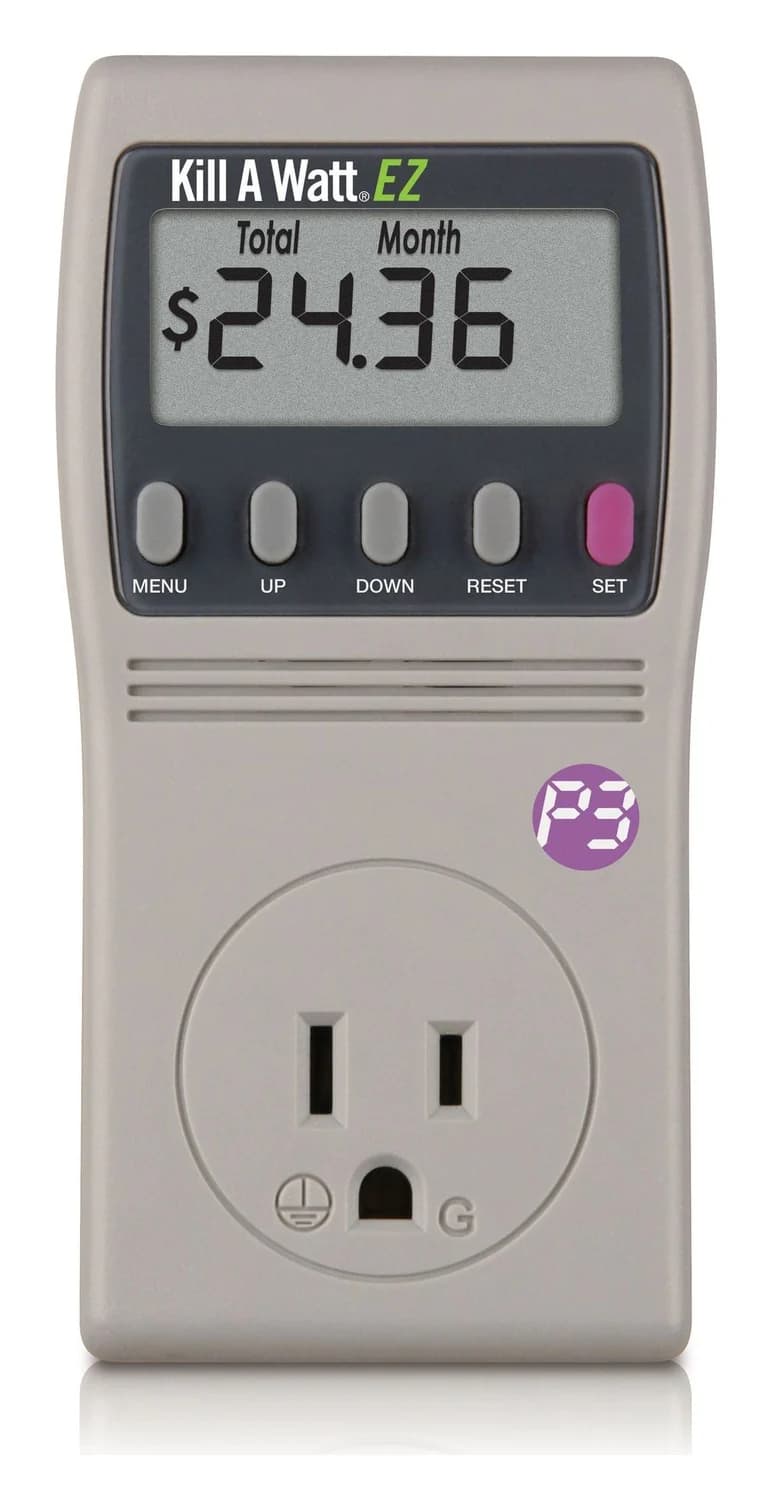
P3 International
A plug-in meter for 120 V appliances that adds the running cost at your utility rate, with projections by hour, day, week, month and year, to the Kill A Watt's electrical readings, and keeps its totals on a backup battery.
Check package and model options
- 15 A max
The EZ's useful extra is retained data: its manual says accumulated kWh, elapsed time and total cost survive power loss. Measurement stops while power is absent. Its cost forecasts depend on the operating history already observed; allow typical on/off cycles before trusting them.
Choose the exact model: P4460 is the EZ with cost controls and backup memory. P4400 is the standard meter below. An existing P4400 can still make the log; the EZ mainly makes preserving it easier.
Best for local readings: P4400 Kill A Watt
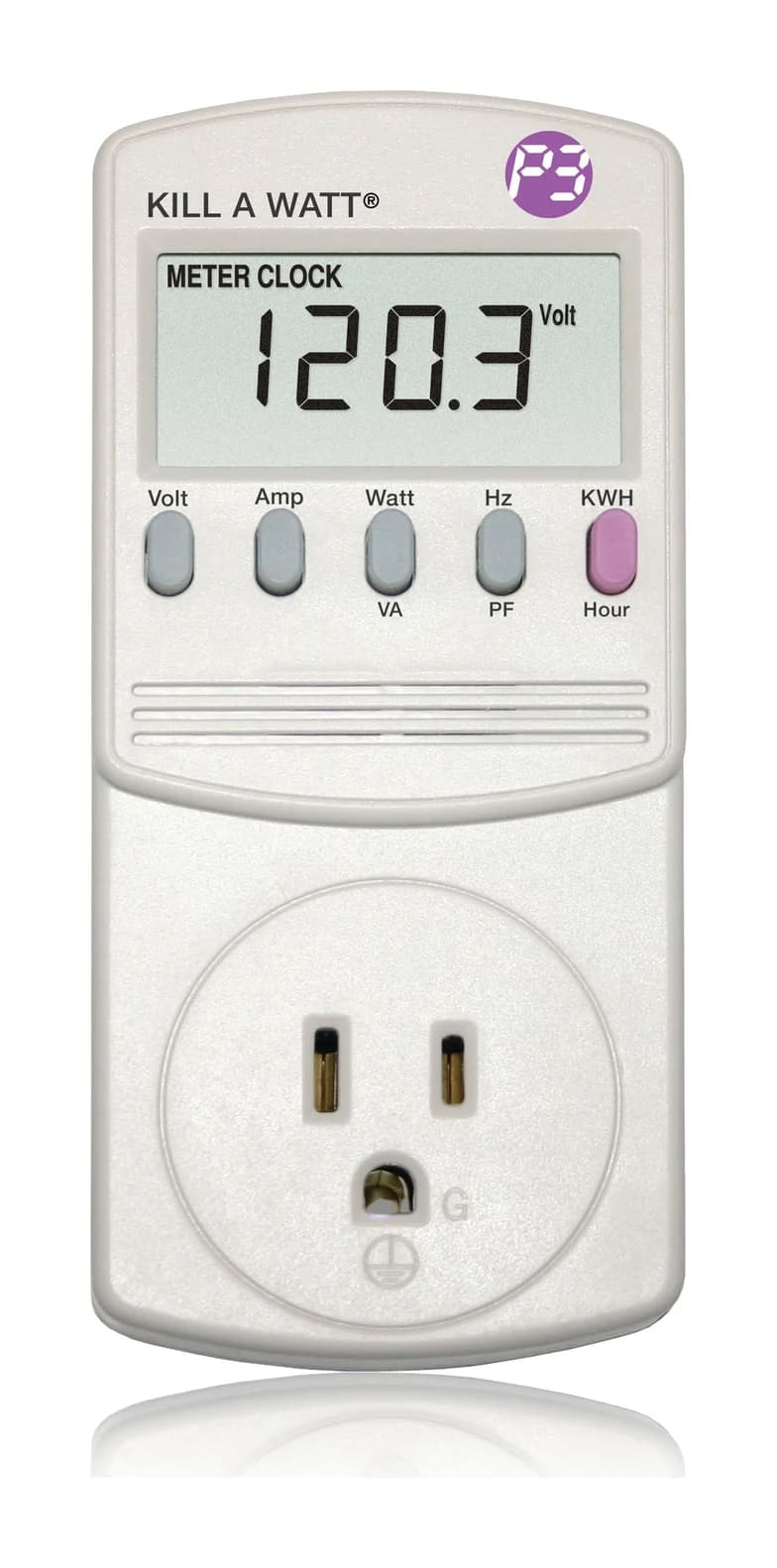
P3 International
A plug-in meter for 120 V appliances that shows volts, amps, watts, VA, frequency, power factor and cumulative kWh for loads up to 15 A.
Check package and model options
- 15 A max
Keep a P4400 if you already own one. Its manual documents watts, VA, cumulative kWh and time, with counters reset by removing power. Photograph the final display before disconnecting it.
P3's product page mentions forecasting costs, but the manual documents no cost-entry controls: calculate costs from the saved kWh. Our plug-in watt-meter guide covers the wider buying choice.
Best for app history on suitable loads: Emporia Smart Plug
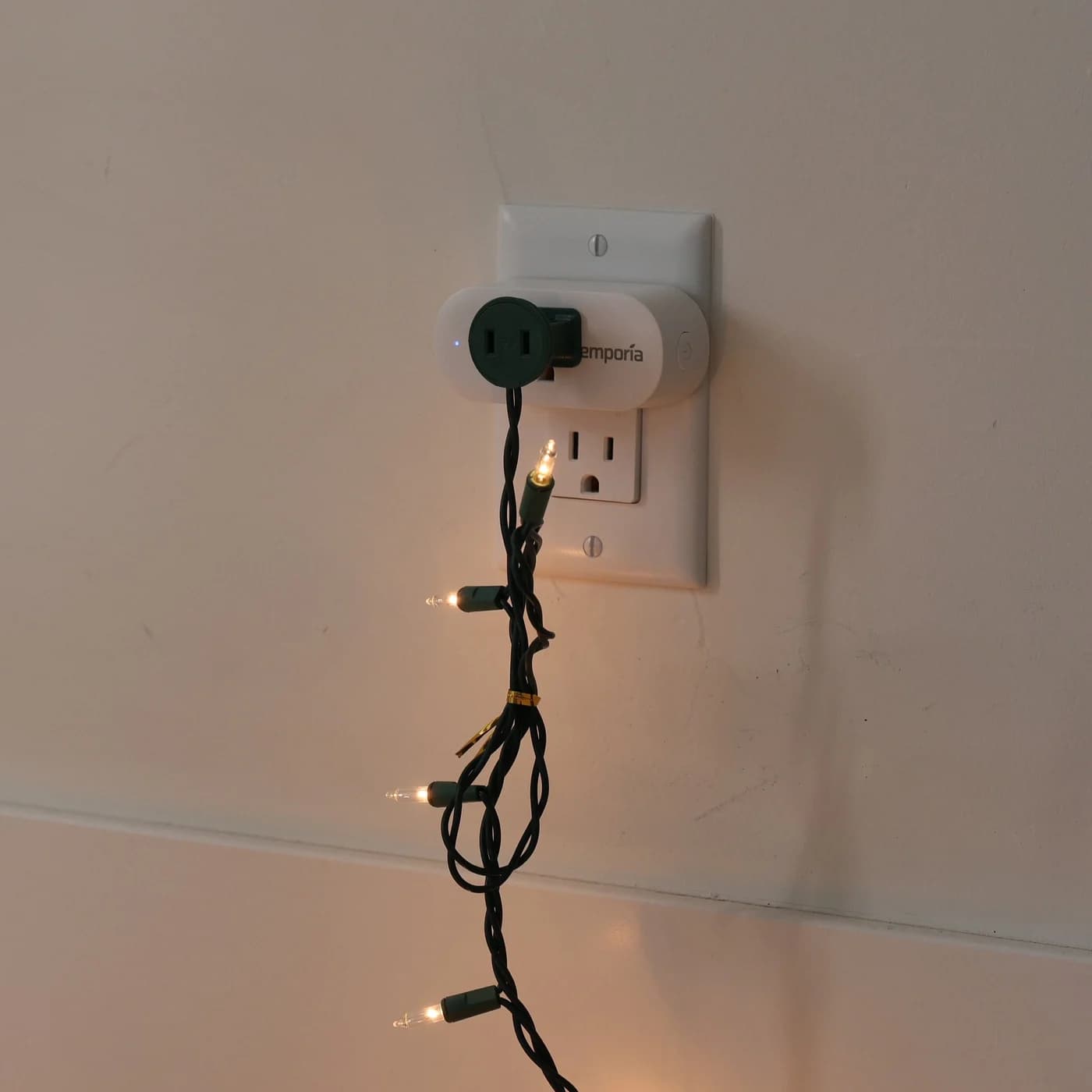
Emporia
Emporia Energy Monitoring Smart Plug
A Wi-Fi smart plug for 120 V outlets that reports the energy use of the device plugged into it in the Emporia app, with on/off schedules, remote control and Alexa and Google Home support.
- 1,200 W continuous at 120 V
- 10 A continuous
- 1,800 W peak · 1 h/day at 120 V
- 15 A peak · 1 h/day at 120 V
Choose this for compatible lamps, TVs and electronics when you want history without transcribing a display. Emporia's app guide documents watts, energy history and schedules. Record existing schedules before a baseline run: they continue operating during a Wi-Fi interruption.
The official guidance conflicts. The shop page recommends against refrigerators, freezers and other power-sensitive equipment; the compatibility article calls refrigeration compatible in most cases, with accidental-switching cautions. We leave refrigeration out of this recommendation. The installation leaflet's general 15 A wording also needs the shop's more specific 10 A continuous limit.
Variants: this recommendation covers the North American plug; UK/EU versions are separate electrical models. Pack quantity changes the number of plugs. Before reusing an older unit, check Emporia's recall notice, covering affected North American purchases from July 1, 2022 through August 1, 2023, with replacement or refund instructions.
Best for circuits and whole-home use: Emporia Vue 3
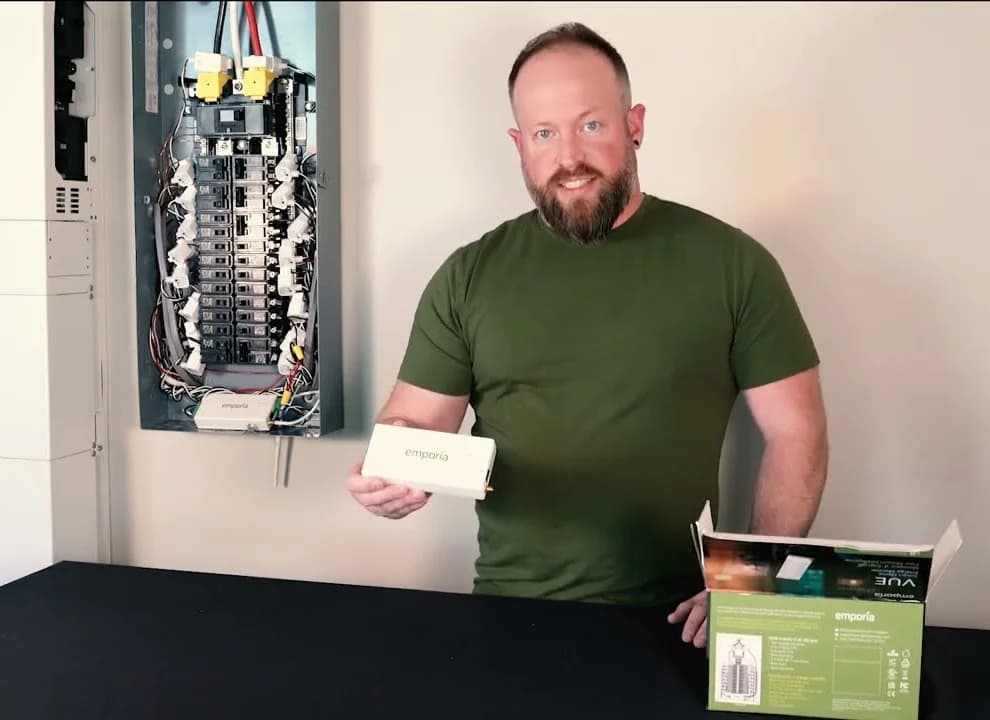
Emporia
Emporia Vue 3 Home Energy Monitor
A panel-installed home energy monitor with two 200 A mains sensors and up to 16 circuit-level 50 A sensors that reports whole-home and per-circuit use, solar generation and net metering in the Emporia app.
For a hardwired appliance or circuit, arrange a licensed electrician to assess and install the panel monitor; follow the installation guide. The Vue provides mains monitoring and optional branch-circuit measurements, with Wi-Fi or Ethernet connectivity. Emporia specifies internet dependence and no local storage.
Choose the kit deliberately: Monitor Only, 8-sensor and 16-sensor kits provide different branch coverage. Monitor Only includes mains monitoring but no branch sensors. A circuit reading includes the loads on that circuit; label the record accordingly. See our home energy monitor guide for sensor planning.
How to use a Kill A Watt meter
First check the appliance instructions, outlet compatibility and instrument label. Both P4400 and P4460 pages list 115 VAC operating, 125 VAC maximum, 15 A maximum and 1875 VA maximum. Those are manufacturer limits, not a blanket approval for every appliance. Leave panel work to a licensed electrician.
Set the starting state
For the P4400, power removal resets the counters; accumulation starts when power is applied. Record the start time, initial kWh and initial meter time. Use KWH/Hour to alternate between cumulative energy and powered time. The timer describes how long the meter has power, not how long the appliance's motor runs. Follow the P4400 manual.
For the P4460, its installation instructions say to switch off the appliance, connect the meter between outlet and appliance, then restore operation. Hold RESET until rESt appears to clear old totals. Hold SET to enter your rate with UP/DOWN, then press SET to save. Use MENU for KWH and Elapsed Time; record both starting values and the timestamp.
Establish the baseline
Save the starting kWh, meter time, timestamp and appliance settings.
Include normal cycles
Leave the permitted appliance in its usual routine, including idle periods.
Take checkpoints
Copy totals and note changes without resetting the meter.
Close the run
Save final kWh and time before disconnecting; explain any interruption.
Source: P3 operating manuals linked above; thisMETER logging workflow
How to measure watts without confusing W and VA
On the P4400, Watt/VA switches between active watts and apparent power in VA. On the P4460, select the measurement display with MENU, then UP/DOWN until Watt is indicated. The manuals distinguish these units: multiplying RMS volts and amps gives VA; use the watts reading for active power.
Note the operating mode beside any snapshot. For daily energy use, continue recording kWh: P3 warns that projections made before complete on/off cycles can be skewed. Our recommendation is to begin with a full normal day and extend the run across several representative cycles and differing daily routines. A fixed duration alone does not establish representativeness.
Copy this blank appliance log
Use a separate record for each appliance and settings change. This is our suggested recording template, not a manufacturer test protocol.
Appliance / model:
Meter / model; compatible ratings and appliance instructions checked:
Run ID; time zone:
Purpose (normal use, standby, or a particular operating mode):
Conditions (settings, room conditions, workload, user routine):
Electricity rate per kWh; tariff and applicable time bands:
Start date/time:
Start meter elapsed hours:              Start kWh:
Intermediate timestamp / meter hours / kWh / conditions / notes:
End date/time:
End meter elapsed hours:                End kWh:
Valid powered elapsed hours (end minus start):
Energy used (end kWh minus start kWh):
Power-loss/reset notes (when; last saved totals; missing periods):
Schedules, setting changes or app-data gaps:
Result and reason to keep, extend or repeat this run:
Save checkpoints during a multiday run so an unexpected reset does not erase the entire record. Keep standby within a normal-use run: P3's cost-display explanation specifically says off periods matter. To compare settings, repeat under comparable conditions and change the setting deliberately; label a dedicated standby run separately.
Worked example: a hypothetical cycling load
These are invented teaching inputs, not readings from a real appliance. Assume an uninterrupted run, with readings taken at the same local time on consecutive days:
Start
- Interval since previous reading (hours)
- —
- Cumulative energy (kWh)
- 0
- Observed mode / conditions
- Off cycle; normal settings; counters cleared
Next day
- Interval since previous reading (hours)
- 24
- Cumulative energy (kWh)
- 1
- Observed mode / conditions
- Running; usual routine; no interruption
Following day
- Interval since previous reading (hours)
- 24
- Cumulative energy (kWh)
- 2
- Observed mode / conditions
- Off cycle; usual routine; no reset
Full comparison table
Swipe to compare. Row labels stay visible.
| Checkpoint | Interval since previous reading (hours) | Cumulative energy (kWh) | Observed mode / conditions |
|---|---|---|---|
| Start | — | 0 | Off cycle; normal settings; counters cleared |
| Next day | 24 | 1 | Running; usual routine; no interruption |
| Following day | 24 | 2 | Off cycle; usual routine; no reset |
Scroll horizontally to see every column
| Checkpoint | Interval since previous reading (hours) | Cumulative energy (kWh) | Observed mode / conditions |
|---|---|---|---|
| Start | — | 0 | Off cycle; normal settings; counters cleared |
| Next day | 24 | 1 | Running; usual routine; no interruption |
| Following day | 24 | 2 | Off cycle; usual routine; no reset |
Each daily interval used 1 kilowatt-hour. Together, 2 kilowatt-hours over two days averages 1 kilowatt-hour per day, despite the different modes at the checkpoints. These are calculations from the hypothetical inputs, using the EIA's power-and-energy definitions.
A watts snapshot during an off cycle would miss the running load; an on-cycle snapshot would miss the idle periods. The energy totals cover both. Matching daily totals still do not establish annual use: include differing routines before extrapolating. P3's manual explains why multiple typical cycles matter.
Outages, resets and incomplete runs
P4400 lost power
- How to handle the record
- Counters reset. Keep previously saved intervals; mark the unsaved interval missing and start a new segment. Do not reconstruct it from one watts reading.
P4460 lost power
- How to handle the record
- Totals survive, but energy measurement and elapsed time stop. Record the outage separately from powered observation time. Repeat if you need an uninterrupted normal-use baseline.
You moved the EZ to read it
- How to handle the record
- Retrieve totals immediately: P3 says the timer resumes on reconnection, adding time without the appliance.
App history has a gap
- How to handle the record
- Label it unobserved rather than zero use; do not assume a missing cloud record proves the appliance stopped. Vue 3 specifies no local storage.
Settings or schedules changed
- How to handle the record
- Mark the boundary and compare separate periods. Emporia schedules continue without Wi-Fi; losing connection does not necessarily stop scheduled switching.
Full comparison table
Swipe to compare. Row labels stay visible.
| What happened? | How to handle the record |
|---|---|
| P4400 lost power | Counters reset. Keep previously saved intervals; mark the unsaved interval missing and start a new segment. Do not reconstruct it from one watts reading. |
| P4460 lost power | Totals survive, but energy measurement and elapsed time stop. Record the outage separately from powered observation time. Repeat if you need an uninterrupted normal-use baseline. |
| You moved the EZ to read it | Retrieve totals immediately: P3 says the timer resumes on reconnection, adding time without the appliance. |
| App history has a gap | Label it unobserved rather than zero use; do not assume a missing cloud record proves the appliance stopped. Vue 3 specifies no local storage. |
| Settings or schedules changed | Mark the boundary and compare separate periods. Emporia schedules continue without Wi-Fi; losing connection does not necessarily stop scheduled switching. |
Scroll horizontally to see every column
| What happened? | How to handle the record |
|---|---|
| P4400 lost power | Counters reset. Keep previously saved intervals; mark the unsaved interval missing and start a new segment. Do not reconstruct it from one watts reading. |
| P4460 lost power | Totals survive, but energy measurement and elapsed time stop. Record the outage separately from powered observation time. Repeat if you need an uninterrupted normal-use baseline. |
| You moved the EZ to read it | Retrieve totals immediately: P3 says the timer resumes on reconnection, adding time without the appliance. |
| App history has a gap | Label it unobserved rather than zero use; do not assume a missing cloud record proves the appliance stopped. Vue 3 specifies no local storage. |
| Settings or schedules changed | Mark the boundary and compare separate periods. Emporia schedules continue without Wi-Fi; losing connection does not necessarily stop scheduled switching. |
Reset and timer behavior comes from the P3 manuals; app limitations come from Vue specifications and Emporia's control guide. Handling missing periods is our recording recommendation.
- Yes: Start and end readings belong to the same appliance and counter segment
- Yes: The observed routine includes the modes you wanted to measure
- Partly: Changed conditions or an interruption: explain them or extend the run
- No: Missing intervals counted as zero, or powered time confused with calendar time
Compare energy with your electricity rate
Energy cost estimate = interval kWh × applicable cost per kWh. P3's rate-setting instructions tell you to obtain the rate from your bill or utility. In its example, 10.6 cents per kWh is entered as 0.106 on the EZ; enter the correct decimal currency amount.
For a separate, hypothetical flat-rate illustration, 3 kilowatt-hours at 10 cents per kilowatt-hour costs 30 cents. This is arithmetic, not a current tariff or a product price. It estimates the energy charge represented by that rate, not the entire bill.
P3 suggests a representative or average rate for tiered, seasonal or time-varying tariffs. Treat that as an estimate: exact time-of-use allocation needs energy assigned to the corresponding rate windows. Keep timestamped checkpoints or suitable interval history if that is your question. The P4460's forecasts extend its observed history; they do not establish next season's routine.
How we choose
These recommendations use current official P3 and Emporia pages and manuals, with the EIA for unit definitions. They are research-based recommendations; thisMETER publishes no original readings here. We prioritize a usable record, appliance compatibility and recovery from interruptions, and name conflicts between official documents. See How we measure and compare app-based options in our energy-monitoring smart-plug guide.
Verdict
Choose the P4460 EZ for retained totals and direct cost estimates, or use an existing P4400 with saved checkpoints. Pick an Emporia Smart Plug for suitable app-monitored loads; use an electrician-installed Vue 3 for circuit questions. The useful result is a complete, explained kWh record covering your actual routine.
Our picks at a glance
- 1
Choose for: Best for an appliance log
Check before buying: 120 V plug-in only: 240 V appliances need another tool
- 2
Choose for: Best for local readings
Check before buying: 120 V plug-in only: 240 V appliances need another tool
- 3
Emporia Energy Monitoring Smart Plug
Choose for: Best for app history on suitable loads
Check before buying: No display: readings are in the Emporia app over 2.4 GHz Wi-Fi
Show all 4 picks
- 4
Emporia Vue 3 Home Energy Monitor
Choose for: Best for circuits and whole-home use
Check before buying: Cloud-only: Emporia says it needs internet and stores no data locally
Frequently asked questions
How long should I leave a Kill A Watt connected?
Long enough to include several typical operating cycles, including time when the appliance is off or idle. P3 explicitly warns that projections made before full on/off cycles are skewed. Our starting recommendation is a full normal day, followed by more days if use varies. A short reading can answer how many watts a particular mode draws, but cannot establish typical daily energy use.
Does a Kill A Watt reset when unplugged?
The P4400 resets when power is removed, so record its kWh and time before unplugging it. The P4460 EZ retains accumulated energy, time and cost, but stops measuring during the interruption. Its timer restarts when power returns. If you move the EZ to read it elsewhere, retrieve the readings immediately so time without the appliance does not distort your record.
Can I calculate watts by multiplying volts by amps?
On these AC meters, volts multiplied by amps gives apparent power in VA. P3 distinguishes that from active power in watts and defines power factor as watts divided by VA. Use the meter's watts display for active power and its kWh display for accumulated energy. Treating VA as watts assumes a power factor of one.
Can I use these meters on UK or European outlets?
The P4400 and P4460 covered here are North American models: P3 lists 115 VAC operating voltage and 125 VAC maximum. They are unsuitable for UK or European mains. Emporia sells separate regional smart plugs; its North American model cannot be used on 240 V circuits. Buy the correct regional instrument and follow its own manual rather than adapting one of these picks.
Related guides
Best picks · Plug-in Watt Meters
Energy Monitoring Smart Plugs: History, Local Data and Load Limits
Choose an energy monitoring smart plug by history, CSV exports and local access. Compare Emporia, Kasa KP125M and Shelly Plug US Gen4, including load limits.
Best picks · Plug-in Watt Meters
Kill A Watt and Other Plug-In Watt Meters: Measure What Anything Really Uses
Measure what an appliance really uses with a Kill A Watt or an energy-monitoring smart plug: which to buy, how to read watts vs VA, and the 0.2% fine print.