

Comparison
Kill A Watt P4400 vs P4460 EZ
Memory, Cost and Accuracy
Choose the right Kill A Watt meter: P4400 vs P4460 EZ memory, cost displays, accuracy conditions, button controls and a worksheet for saving appliance readings.
By thisMETER EditorialUpdated November 3, 20268 min read2 picks
Our recommendation: P3 International P4460
Best for saving appliance records
Limit: The trade-off is navigation: MENU selects a display group, and UP/DOWN select readings or projection periods within it.
On this page · Our picks at a glance
Our picks at a glance
- 1
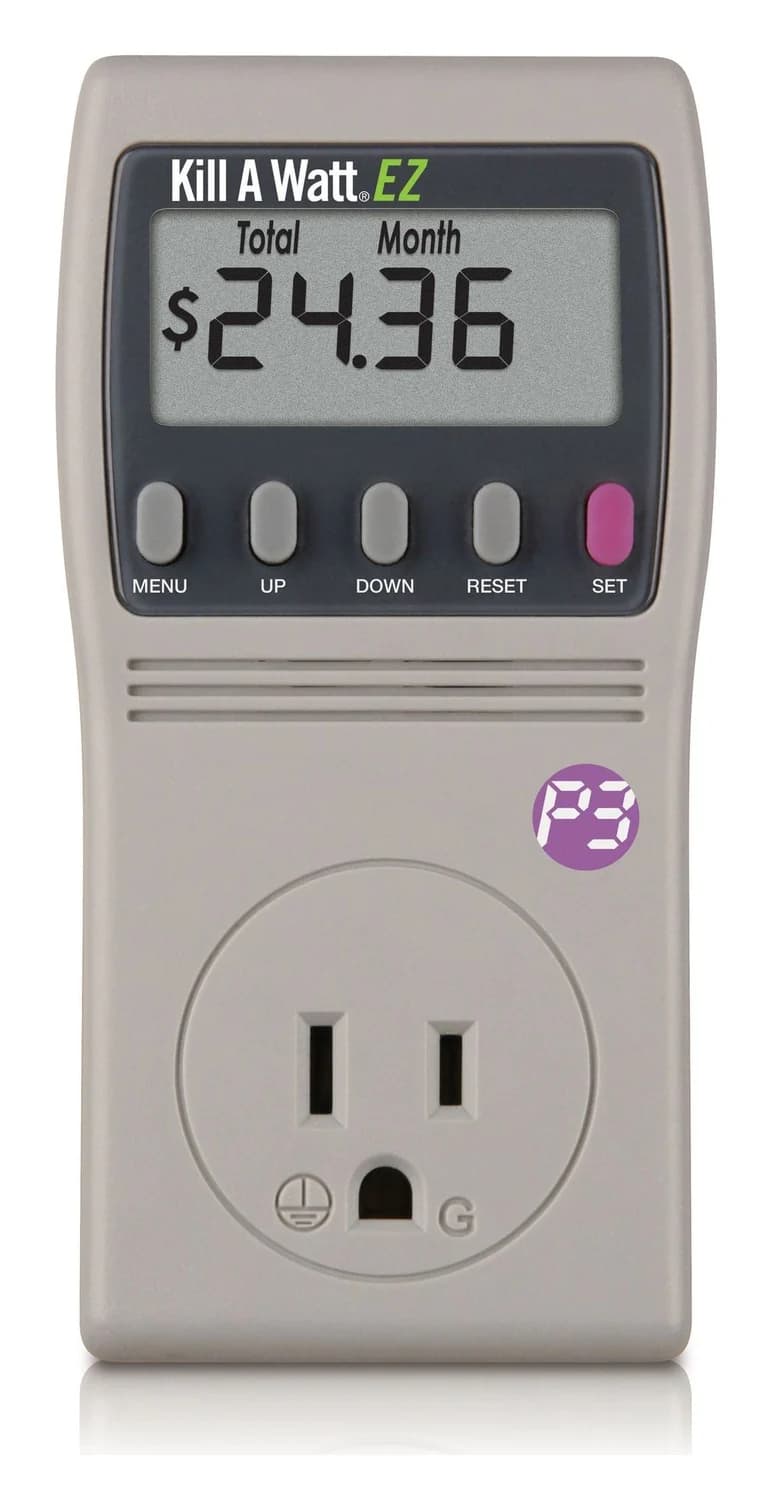
Choose for: Best for saving appliance records
Check before buying: The trade-off is navigation: MENU selects a display group, and UP/DOWN select readings or projection periods within it.
- 2
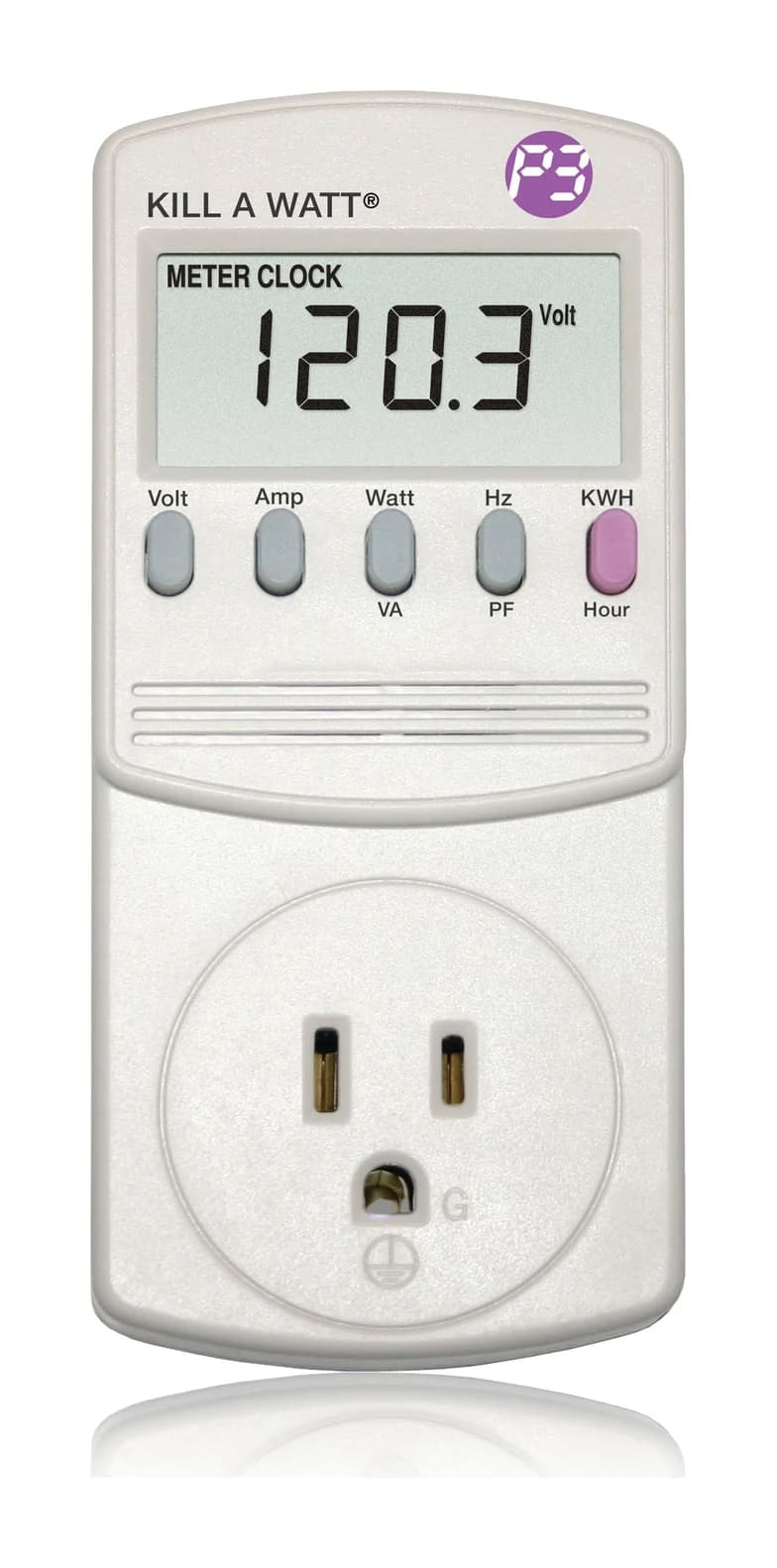
Choose for: Best for simple readings
Check before buying: 120 V plug-in only: 240 V appliances need another tool
Choose the P4460 Kill A Watt EZ for most appliance records: it retains accumulated energy, elapsed time and total cost through power loss, and calculates costs from a rate you enter. Choose the P4400 Kill A Watt if you prefer dedicated reading buttons and will copy totals before disconnecting; its manual lists the same typical and maximum accuracy values for the principal measurements.
Quick picks: original or EZ?
Compare specifications and all conditions
Our pick for
- P4400 Kill A Watt
- Simple readings, with a notebook
- P4460 Kill A Watt EZ
- Saving totals and seeing estimated costs
Controls
- P4400 Kill A Watt
- Dedicated Volt, Amp and paired-function keys
- P4460 Kill A Watt EZ
- MENU, UP, DOWN, RESET and SET
Electrical measurements
- P4400 Kill A Watt
- Volts, amps, watts, VA, Hz, power factor
- P4460 Kill A Watt EZ
- Volts, amps, watts, VA, Hz, power factor
Cumulative readings
- P4400 Kill A Watt
- kWh and powered time
- P4460 Kill A Watt EZ
- kWh, powered time and total cost
Cost calculation
- P4400 Kill A Watt
- Calculate from kWh yourself
- P4460 Kill A Watt EZ
- Total cost plus hour/day/week/month/year projections
Power interruption
- P4400 Kill A Watt
- Counters reset
- P4460 Kill A Watt EZ
- Totals retained; screen goes blank
Published maximums
- P4400 Kill A Watt
- 125 VAC, 15 A, 1875 VA
- P4460 Kill A Watt EZ
- 125 VAC, 15 A, 1875 VA
Full comparison table
Swipe to compare. Row labels stay visible.
| Decision | P4400 Kill A Watt | P4460 Kill A Watt EZ |
|---|---|---|
| Our pick for | Simple readings, with a notebook | Saving totals and seeing estimated costs |
| Controls | Dedicated Volt, Amp and paired-function keys | MENU, UP, DOWN, RESET and SET |
| Electrical measurements | Volts, amps, watts, VA, Hz, power factor | Volts, amps, watts, VA, Hz, power factor |
| Cumulative readings | kWh and powered time | kWh, powered time and total cost |
| Cost calculation | Calculate from kWh yourself | Total cost plus hour/day/week/month/year projections |
| Power interruption | Counters reset | Totals retained; screen goes blank |
| Published maximums | 125 VAC, 15 A, 1875 VA | 125 VAC, 15 A, 1875 VA |
Scroll horizontally to see every column
| Decision | P4400 Kill A Watt | P4460 Kill A Watt EZ |
|---|---|---|
| Our pick for | Simple readings, with a notebook | Saving totals and seeing estimated costs |
| Controls | Dedicated Volt, Amp and paired-function keys | MENU, UP, DOWN, RESET and SET |
| Electrical measurements | Volts, amps, watts, VA, Hz, power factor | Volts, amps, watts, VA, Hz, power factor |
| Cumulative readings | kWh and powered time | kWh, powered time and total cost |
| Cost calculation | Calculate from kWh yourself | Total cost plus hour/day/week/month/year projections |
| Power interruption | Counters reset | Totals retained; screen goes blank |
| Published maximums | 125 VAC, 15 A, 1875 VA | 125 VAC, 15 A, 1875 VA |
Sources: P3's P4400 page, P4460 page, original manual and EZ manual.
The model number matters more than similar packaging: P4400 is the original; P4460 is EZ. Both product pages specify 115 VAC operating voltage. Their 1875 VA maximum is an apparent-power rating; it should not be presented as a continuous-watts allowance. Both manuals distinguish active watts from apparent VA.
Best for saving appliance records: P4460 Kill A Watt EZ
P3 International
A plug-in meter for 120 V appliances that adds the running cost at your utility rate, with projections by hour, day, week, month and year, to the Kill A Watt's electrical readings, and keeps its totals on a backup battery.
Check package and model options
- 15 A max
The reason to buy EZ is the ability to move a completed record away from an inconvenient outlet. Its manual explicitly permits relocating the unit to read accumulated data after reconnecting it. The backup preserves the record; it does not keep the disconnected display working.
EZ also calculates actual total energy cost and forecasts for Hour, Day, Week, Month and Year. Set the utility rate before relying on those amounts. P3 advises choosing a representative rate or averaging rates when the utility uses tiers or different times of day. Treat the result as an estimate based on that programmed rate, not a complete reproduction of a changing tariff.
The trade-off is navigation: MENU selects a display group, and UP/DOWN select readings or projection periods within it. The button worksheet below makes that manageable.
Best for simple readings: P4400 Kill A Watt
P3 International
A plug-in meter for 120 V appliances that shows volts, amps, watts, VA, frequency, power factor and cumulative kWh for loads up to 15 A.
Check package and model options
- 15 A max
The original gives you direct Volt and Amp keys, plus Watt/VA, Hz/PF and KWH/Hour toggles. It starts accumulating energy and powered time when power is applied. If you only need electrical readings and can copy the record at the outlet, that is a straightforward workflow.
Its main limitation is disconnection: the manual tells you to remove power momentarily to reset it. It also says counters recycle to zero at their maximum. Save the record before removing the meter.
A wording conflict to know: P3's P4400 page says “Forecast Your Costs,” but its manual documents kWh and hours, with no cost or rate-setting controls. Our recommendation follows the documented controls: calculate costs yourself, or buy EZ for on-screen amounts.
How to use a Kill A Watt meter: the button worksheet
Both manuals describe true RMS voltage and current, active power in watts and apparent power in VA. For an energy record, save kWh together with powered time. The clock tracks how long the meter has power, including time when the attached appliance is off; it is not a compressor-runtime counter.
On EZ, MENU → Volt enters the measurement group; use UP/DOWN to select the electrical quantity. The other MENU displays include Cost, Rate, KWH and Elapsed Time. On either model, read the unit symbol alongside the number.
Supply voltage
- P4400 control
- Volt
- P4460 EZ control
- Measurement group → Volt
Current
- P4400 control
- Amp
- P4460 EZ control
- Measurement group → Amp
Active watts / apparent VA
- P4400 control
- Watt/VA toggles between them
- P4460 EZ control
- Measurement group → Watt or VA
Frequency / power factor
- P4400 control
- Hz/PF toggles between them
- P4460 EZ control
- Measurement group → Hz or P.F.
Cumulative energy
- P4400 control
- KWH/Hour → KWH
- P4460 EZ control
- MENU → KWH
Powered duration
- P4400 control
- KWH/Hour → Hour
- P4460 EZ control
- MENU → Elapsed Time
Total cost / forecast
- P4400 control
- Calculate separately
- P4460 EZ control
- MENU → Cost initially shows Total; UP/DOWN cycles forecast periods
Utility rate
- P4400 control
- No rate-setting control documented
- P4460 EZ control
- MENU → Rate to inspect; hold SET to edit, UP/DOWN to adjust, SET to save
Start a fresh record
- P4400 control
- Momentarily remove power
- P4460 EZ control
- Hold RESET until “rESt”; clears kWh, elapsed time and cost
Full comparison table
Swipe to compare. Row labels stay visible.
| What to record | P4400 control | P4460 EZ control |
|---|---|---|
| Supply voltage | Volt | Measurement group → Volt |
| Current | Amp | Measurement group → Amp |
| Active watts / apparent VA | Watt/VA toggles between them | Measurement group → Watt or VA |
| Frequency / power factor | Hz/PF toggles between them | Measurement group → Hz or P.F. |
| Cumulative energy | KWH/Hour → KWH | MENU → KWH |
| Powered duration | KWH/Hour → Hour | MENU → Elapsed Time |
| Total cost / forecast | Calculate separately | MENU → Cost initially shows Total; UP/DOWN cycles forecast periods |
| Utility rate | No rate-setting control documented | MENU → Rate to inspect; hold SET to edit, UP/DOWN to adjust, SET to save |
| Start a fresh record | Momentarily remove power | Hold RESET until “rESt”; clears kWh, elapsed time and cost |
Scroll horizontally to see every column
| What to record | P4400 control | P4460 EZ control |
|---|---|---|
| Supply voltage | Volt | Measurement group → Volt |
| Current | Amp | Measurement group → Amp |
| Active watts / apparent VA | Watt/VA toggles between them | Measurement group → Watt or VA |
| Frequency / power factor | Hz/PF toggles between them | Measurement group → Hz or P.F. |
| Cumulative energy | KWH/Hour → KWH | MENU → KWH |
| Powered duration | KWH/Hour → Hour | MENU → Elapsed Time |
| Total cost / forecast | Calculate separately | MENU → Cost initially shows Total; UP/DOWN cycles forecast periods |
| Utility rate | No rate-setting control documented | MENU → Rate to inspect; hold SET to edit, UP/DOWN to adjust, SET to save |
| Start a fresh record | Momentarily remove power | Hold RESET until “rESt”; clears kWh, elapsed time and cost |
Copy this record: Appliance/state: ___; start/stop: ___; kWh: ___; powered time and displayed format: ___; watts/VA/PF: ___; rate per kWh: ___; cost and selected period: ___.
Both manuals describe time initially in Hours:Minutes, changing to whole hours as the total grows. Preserve the displayed format, not just the digits. Capture live watts and power factor while the appliance remains attached; EZ's retention instructions promise accumulated energy, time and total cost, not a saved snapshot of every live reading.
For P4400, energy cost = recorded kWh × your rate per kWh. On EZ, distinguish Cost + Total, the accumulated amount since reset, from Cost + Month, a forecast. When entering the rate, the manual's examples use dollars per kWh: convert a cents-per-kWh figure accordingly, then press SET and check for “SAVE.”
What survives unplugging—and what changes on reconnection
P4400's energy and time start again after power is removed. On P4460, interruption blanks the display and stops energy measurement and elapsed time, while retaining kWh, elapsed time and actual total cost. These are different behaviors even if both meters were showing the same energy total beforehand.
The easily missed EZ detail is what happens next: reconnecting restarts elapsed time, even if the appliance is elsewhere. P3 says to retrieve the data immediately because time with no load can skew the record. Write down final elapsed time at the appliance when possible; otherwise make it the first reading after reconnection.
Capture live readings
Record watts, VA or power factor before disconnecting the appliance.
Preserve totals by model
On P4400, copy kWh and powered time before removing power. EZ retains accumulated energy, time and total cost.
Read EZ promptly after reconnecting
Retrieve Elapsed Time first, then KWH and Cost Total; the powered-time counter has restarted.
Start the next record deliberately
Save the old record before resetting. On EZ, hold RESET until rESt to clear energy, time and cost.
If EZ's screen is inaccessible in the original location, its manual allows a quality extension cord rated for the application during installation. Follow its installation instructions, including turning the appliance off before connecting it. An accessible screen avoids the need to move the completed record at all.
Accuracy: compare the manuals, not the headline
Both product pages promote 0.2% accuracy. Both manuals give the following more specific values; EZ has no documented improvement in these rows. These are manufacturer specifications, not independently verified results.
RMS voltage
- P4400 typical / maximum
- 0.2% / 1%
- P4460 EZ typical / maximum
- 0.2% / 1%
RMS current
- P4400 typical / maximum
- 0.3% / 1%
- P4460 EZ typical / maximum
- 0.3% / 1%
Active watts and apparent VA
- P4400 typical / maximum
- 0.5% / 2%
- P4460 EZ typical / maximum
- 0.5% / 2%
Cumulative kWh
- P4400 typical / maximum
- 0.5% / 2%
- P4460 EZ typical / maximum
- 0.5% / 2%
Full comparison table
Swipe to compare. Row labels stay visible.
| Quantity | P4400 typical / maximum | P4460 EZ typical / maximum |
|---|---|---|
| RMS voltage | 0.2% / 1% | 0.2% / 1% |
| RMS current | 0.3% / 1% | 0.3% / 1% |
| Active watts and apparent VA | 0.5% / 2% | 0.5% / 2% |
| Cumulative kWh | 0.5% / 2% | 0.5% / 2% |
Scroll horizontally to see every column
| Quantity | P4400 typical / maximum | P4460 EZ typical / maximum |
|---|---|---|
| RMS voltage | 0.2% / 1% | 0.2% / 1% |
| RMS current | 0.3% / 1% | 0.3% / 1% |
| Active watts and apparent VA | 0.5% / 2% | 0.5% / 2% |
| Cumulative kWh | 0.5% / 2% | 0.5% / 2% |
Sources: the specifications table in each model's manual, linked above. The P4400 table is embedded as an image.
Conditions differ in what is documented. EZ's table adds “Typical: V=90V125V, A=0.2A15A.” The P4400 table does not print that footnote. Both list an 85–125 Vrms measurement range; that range should not replace the product's operating specification or label ratings.
The EZ footnote's 0.2 A is a typical-accuracy condition, not its minimum current range: the table lists 0.00–15.00 Arms. It does not establish the same typical accuracy for tiny standby loads. Nor does either manual support applying the sales page's voltage-sized percentage to all watt or energy readings.
Buying advice: match the load to the documented limits
Both manuals specify a 1-second display update. That specification alone does not establish an inrush-capture function. P3 also warns that cost projections for cycling appliances require full on and off cycles; a running-only observation can initially exaggerate projected cost.
Refrigerator or another cycling appliance
- Our choice
- EZ for retained totals and cost display; original for copied kWh
- Limit to keep in the record
- Include representative on and off cycles before trusting projections.
Very small standby load
- Our choice
- Neither as a blanket accuracy guarantee
- Limit to keep in the record
- Below 0.2 A, EZ's stated typical-accuracy conditions do not cover the current. A zero display should not be treated as certification of zero consumption.
Load near the published maximums
- Our choice
- Check the exact appliance and meter labels first
- Limit to keep in the record
- Respect 125 VAC, 15 A and 1875 VA; do not infer a separate continuous-duty watt rating.
Motor startup or brief surge
- Our choice
- Neither as a documented inrush specialist
- Limit to keep in the record
- A display-update interval is not an inrush specification.
Hardwired equipment or voltage above the published limit
- Our choice
- Choose another measurement approach
- Limit to keep in the record
- These are plug-in appliance meters; do not adapt them for panel measurements.
Full comparison table
Swipe to compare. Row labels stay visible.
| Load or task | Our choice | Limit to keep in the record |
|---|---|---|
| Refrigerator or another cycling appliance | EZ for retained totals and cost display; original for copied kWh | Include representative on and off cycles before trusting projections. |
| Very small standby load | Neither as a blanket accuracy guarantee | Below 0.2 A, EZ's stated typical-accuracy conditions do not cover the current. A zero display should not be treated as certification of zero consumption. |
| Load near the published maximums | Check the exact appliance and meter labels first | Respect 125 VAC, 15 A and 1875 VA; do not infer a separate continuous-duty watt rating. |
| Motor startup or brief surge | Neither as a documented inrush specialist | A display-update interval is not an inrush specification. |
| Hardwired equipment or voltage above the published limit | Choose another measurement approach | These are plug-in appliance meters; do not adapt them for panel measurements. |
Scroll horizontally to see every column
| Load or task | Our choice | Limit to keep in the record |
|---|---|---|
| Refrigerator or another cycling appliance | EZ for retained totals and cost display; original for copied kWh | Include representative on and off cycles before trusting projections. |
| Very small standby load | Neither as a blanket accuracy guarantee | Below 0.2 A, EZ's stated typical-accuracy conditions do not cover the current. A zero display should not be treated as certification of zero consumption. |
| Load near the published maximums | Check the exact appliance and meter labels first | Respect 125 VAC, 15 A and 1875 VA; do not infer a separate continuous-duty watt rating. |
| Motor startup or brief surge | Neither as a documented inrush specialist | A display-update interval is not an inrush specification. |
| Hardwired equipment or voltage above the published limit | Choose another measurement approach | These are plug-in appliance meters; do not adapt them for panel measurements. |
- Yes: Confirm the appliance fits the meter's marked voltage and current limits.
- Yes: Keep the meter dry and follow its model-specific manual.
- Partly: Treat forecasts as estimates tied to the selected rate and observed usage.
- No: Do not open the case or exceed the ratings to accommodate a different load.
For broader product selection, see our Kill A Watt and plug-in watt meter guide. For circuit and whole-home options, see our home energy monitor guide.
How we choose
We compared P3's model-specific product pages and operation manuals. We have not physically tested either meter. Picks reflect the documented controls, retention behavior, per-quantity accuracy and electrical limits. Where a sales-page headline is broader than the manual, we explain the difference. Our measurement policy distinguishes manufacturer specifications from any future site measurements.
Verdict
Buy P4460 EZ for retained appliance records and visible cost estimates, especially when the outlet is awkward to read. Buy P4400 for direct electrical readings when you can record totals before disconnecting. The manuals give no reason to pay for EZ expecting a better watt-accuracy specification; its useful advantages are memory and cost functions.
Frequently asked questions
Is the Kill A Watt EZ more accurate than the P4400?
The manuals give the same typical and maximum accuracy values for voltage, current, watts and kWh. Both list 0.5% typical and 2% maximum for watts and kWh, despite the product pages' 0.2% headlines. The EZ manual adds typical-accuracy conditions of 90–125 V and 0.2–15 A; the P4400 table does not print that footnote. Choose EZ for memory and cost functions rather than a documented accuracy improvement.
Can I unplug a P4460 EZ and read it somewhere else?
Yes, but reconnect it to power to read it: the display goes blank when disconnected. P3 says accumulated kWh, elapsed time and actual total cost survive the interruption, while measurement and timing stop. Retrieve the data immediately after reconnecting because the elapsed-time counter restarts, even without an appliance attached. Copy the final powered time before moving the meter when possible.
Does the original P4400 display electricity cost?
Its manual provides electrical readings, cumulative kWh and powered time, with no cost display or rate-setting control. Calculate energy cost by multiplying recorded kWh by your rate per kWh. P3's P4400 product page says 'Forecast Your Costs', but the P4400 manual does not document on-screen cost functions. The P4460 EZ manual does: choose P4460 if you want those calculations on the meter.
Which Kill A Watt meter should I use for a refrigerator?
Choose the P4460 EZ if you want retained totals and on-screen cost estimates, provided the appliance fits its label ratings. P4400 can record cumulative energy too, but power loss resets its counters. P3 warns that cost projections for cycling appliances need full on and off cycles; a forecast made while the compressor is running alone is not representative. Neither model's instantaneous watts reading replaces an energy record.
P3 International P4460
AmazonRelated guides
Buying guide · Plug-in Watt Meters
How to Measure Power Consumption: Make a Useful Appliance Log
Measure appliance watts and kWh with a Kill A Watt, keep a repeatable multiday log, handle resets and outages, and choose a suitable meter or monitoring plug.
Best picks · Plug-in Watt Meters
Energy Monitoring Smart Plugs: History, Local Data and Load Limits
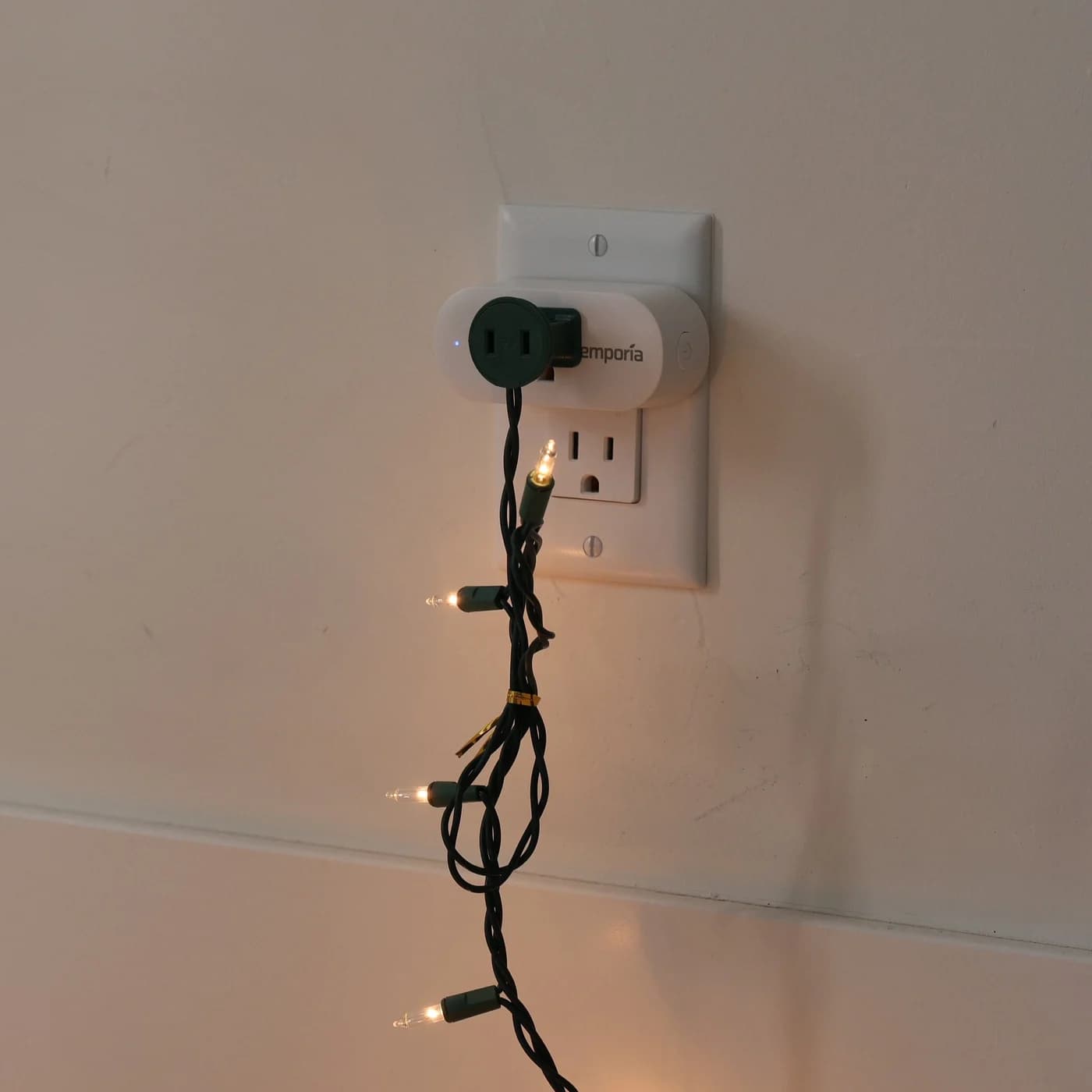
Choose an energy monitoring smart plug by history, CSV exports and local access. Compare Emporia, Kasa KP125M and Shelly Plug US Gen4, including load limits.
Best picks · Plug-in Watt Meters
Kill A Watt and Other Plug-In Watt Meters: Measure What Anything Really Uses
Measure what an appliance really uses with a Kill A Watt or an energy-monitoring smart plug: which to buy, how to read watts vs VA, and the 0.2% fine print.