

Best picks
Best Lux Meters for Indoor Lighting
Sensors, LEDs and Useful Readings
Choose a lux meter for desks, rooms and workbenches. Compare remote sensors, LED response, low-light resolution and calibration, then use our reading worksheet.
By thisMETER EditorialUpdated November 3, 20268 min read
On this page · Quick picks
For repeatable readings on a desk or workbench, our pick is the Extech LT300: its separate sensor can sit on the work surface while you read the display elsewhere. Choose the REED R1630 for compact room checks and app logging, or the HIOKI FT3424 for its low-light range and more fully documented sensor response. These recommendations come from manufacturer documents, without physical testing.
Quick picks
Compare specifications and all conditions
Extech LT300
- Our pick for
- Repeatable desk and bench checks
- Sensor arrangement
- Separate sensor; cable extends to 61 cm
- Lux coverage; finest display step
- Up to 400,000 lux; 0.01 lux on the 40 lux range
All specifications
- Recording
- Hold, MIN/MAX and relative mode
REED R1630
- Our pick for
- Compact checks and app logging
- Sensor arrangement
- One-piece handheld
- Lux coverage; finest display step
- 0–100,000 lux; finest listed step 0.1 lux
All specifications
- Recording
- Timed logging through Smart Series App
HIOKI FT3424
- Our pick for
- Low-light checks and sensor documentation
- Sensor arrangement
- Docked sensor; optional L9820 cable separates it
- Lux coverage; finest display step
- 0–200,000 lux; 0.01 lux on the 20 lux range
All specifications
- Recording
- Memory for 99 values; USB transfer
Full comparison table
Swipe to compare. Row labels stay visible.
| Meter | Our pick for | Sensor arrangement | Lux coverage; finest display step | Recording |
|---|---|---|---|---|
| Extech LT300 | Repeatable desk and bench checks | Separate sensor; cable extends to 61 cm | Up to 400,000 lux; 0.01 lux on the 40 lux range | Hold, MIN/MAX and relative mode |
| REED R1630 | Compact checks and app logging | One-piece handheld | 0–100,000 lux; finest listed step 0.1 lux | Timed logging through Smart Series App |
| HIOKI FT3424 | Low-light checks and sensor documentation | Docked sensor; optional L9820 cable separates it | 0–200,000 lux; 0.01 lux on the 20 lux range | Memory for 99 values; USB transfer |
Scroll horizontally to see every column
| Meter | Our pick for | Sensor arrangement | Lux coverage; finest display step | Recording |
|---|---|---|---|---|
| Extech LT300 | Repeatable desk and bench checks | Separate sensor; cable extends to 61 cm | Up to 400,000 lux; 0.01 lux on the 40 lux range | Hold, MIN/MAX and relative mode |
| REED R1630 | Compact checks and app logging | One-piece handheld | 0–100,000 lux; finest listed step 0.1 lux | Timed logging through Smart Series App |
| HIOKI FT3424 | Low-light checks and sensor documentation | Docked sensor; optional L9820 cable separates it | 0–200,000 lux; 0.01 lux on the 20 lux range | Memory for 99 values; USB transfer |
These are display steps, not accuracy guarantees. The LT300 and R1630 also display footcandles; the FT3424's documented display unit is lux.
Best for desk and workbench checks: Extech LT300
Choose the LT300 when sensor placement matters more than fitting everything in one hand. Its datasheet specifies a coiled sensor cable extending from 30.5 to 61 cm; the manual says the sensor is permanently attached. You can place the sensor on a desk or tabletop under overhead lighting and keep the display in view.
Manual range selection lets you choose the range with the finest usable resolution. Relative mode displays the difference from a stored reference, while MIN/MAX retains extremes. Record ordinary readings in the worksheet below; MIN/MAX retention is not a timestamped lighting log.
Order the right package: the standard LT300 includes a battery, sensor cover, protective holster and soft case. The datasheet identifies LT300-NIST as the version with calibration traceable to NIST; do not assume that paperwork accompanies the standard model.
Trade-offs: the cable gives limited reach, and the full accuracy formula includes a range-dependent term. The official datasheet and manual also disagree on dimensions and weight; confirm those details if carrying size matters. We do not select one document's figures as definitive.
See the LT300 and package options at Extech
Best compact option with app logging: REED R1630
The R1630 suits a room-to-room survey when you want a compact instrument with its own display. REED's product page lists a magnetic back, tripod mount and data hold. Its display works without a mobile device; timestamped logging requires the Smart Series App for iOS or Android.
With the app, REED specifies selectable sampling intervals from 1 to 120 seconds and PDF or Excel export. That makes it our choice here for recording changes over time, provided you are willing to keep a mobile device in the workflow. Ask REED for quantified spectral and cosine-response information before choosing it for LED acceptance measurements.
Variants: the standalone R1630 includes batteries. The datasheet lists R1630-KIT with an R1500 tripod and CA-05A medium soft carrying case, and R1630-NIST as the calibration option. Check the certificate's scope before ordering.
Replacing an R1930? REED now marks the R1930 discontinued and identifies the R1630 as its direct replacement. This is not simply a renamed meter: the older model's manual lists 1 lux as its finest lux step, versus 0.1 lux for the R1630.
Best for low-light work and sensor documentation: HIOKI FT3424
Choose the FT3424 when you need to understand the sensor's limits as well as record a reading. HIOKI's product page explicitly lists LED compatibility, DIN Class B and JIS general AA classification. Its lowest range is 20 lux with 0.01 lux steps; the meter stores up to 99 readings for later USB transfer.
Timer hold lets you move away before capturing a reading, reducing the operator's shadows and reflections. For a separate sensor and display, order the optional L9820 connection cable. A remote-sensor setup is not included merely because the head can undock.
FT3424 or FT3425? HIOKI's family brochure says the measurement specifications are shared and identifies Bluetooth as the FT3425's addition. Choose the FT3425 if wireless transfer is the reason to upgrade; choose the FT3424 for the documented low-light ranges and USB workflow.
Trade-offs: HIOKI's manual distinguishes linearity from its full-scale verification tolerance. Its classification and fine display do not justify calling it universally accurate to the smallest displayed digit. We use the English/Japanese revision 10 linked on HIOKI's product page.
See the FT3424 and accessories at HIOKI
How we choose
We compared official product pages, manuals and datasheets, read November 2, 2026. We prioritized usable sensor placement, range-specific accuracy, spectral and angular documentation, recording and calibration options. The R1930 was removed from the proposed shortlist after checking its status. Recommendations describe suitability on paper; no independent readings or popularity ranking are claimed. Our selection method and measurement policy explain the approach.
Buying guide: read the surface, range and sensor specification
Lux, footcandles and a useful target
Lux describes light arriving at a surface. A lumen per square metre is a lux; a lumen per square foot is a footcandle. To convert, 1 footcandle ≈ 10.76 lux; multiply footcandles by that factor, or divide lux by it. The underlying conversion is in NIST's units table.
Choose a target for the actual task. CCOHS's lighting guidance gives these examples:
Computer work, depending on screen characteristics
- Guidance range
- 75–300 lux
Reading good printed material; other high-contrast tasks
- Guidance range
- 200–500 lux
Smaller or medium-contrast tasks, including finer bench work
- Guidance range
- 500–1000 lux
Full comparison table
Swipe to compare. Row labels stay visible.
| Task | Guidance range |
|---|---|
| Computer work, depending on screen characteristics | 75–300 lux |
| Reading good printed material; other high-contrast tasks | 200–500 lux |
| Smaller or medium-contrast tasks, including finer bench work | 500–1000 lux |
Scroll horizontally to see every column
| Task | Guidance range |
|---|---|
| Computer work, depending on screen characteristics | 75–300 lux |
| Reading good printed material; other high-contrast tasks | 200–500 lux |
| Smaller or medium-contrast tasks, including finer bench work | 500–1000 lux |
Treat these as guidance, not a universal compliance threshold. CCOHS separately considers glare, contrast and shadows: a satisfactory lux number does not settle those questions.
Compact sensor or remote sensor?
A compact meter is our preference for a quick handheld survey. For a repeated desk measurement, we prefer placing the sensor and then reading without moving it. The LT300 supports tabletop placement; the FT3424 offers timer hold and optional sensor separation.
- Yes: Choose the R1630 when a compact meter and app records suit the job
- Yes: Choose the LT300 when a separate sensor and readable display position matter
- Partly: Choose the FT3424 for separation only after adding the optional L9820 cable
Resolution is not accuracy
The LT300 manual specifies ±(5% of reading + 0.5% of full scale). Calculated example: a 500 lux reading on its 4000 lux range has a stated tolerance of ±45 lux: 25 lux from the reading term plus 20 lux from the range term. This illustrates the published formula, not an observed error; use the lowest range that accommodates the reading.
Accuracy wording
- REED R1630
- At or below 10,000 lux: ±(3.5% reading + 10 digits); above: ±(5% + 10 digits)
- Extech LT300
- ±(5% reading + 0.5% full scale)
- HIOKI FT3424
- Linearity ±2% reading; separately ±4% full-scale verification tolerance
Spectral documentation
- REED R1630
- Not quantified in cited specifications
- Extech LT300
- CIE photopic response; filtered silicon detector
- HIOKI FT3424
- Spectral mismatch index f1′ ≤6%
Angular documentation
- REED R1630
- Not quantified in cited specifications
- Extech LT300
- Cosine-corrected claim
- HIOKI FT3424
- Systematic angular deviation f2 ≤3%, plus angle-specific limits
Full comparison table
Swipe to compare. Row labels stay visible.
| Documentation detail | REED R1630 | Extech LT300 | HIOKI FT3424 |
|---|---|---|---|
| Accuracy wording | At or below 10,000 lux: ±(3.5% reading + 10 digits); above: ±(5% + 10 digits) | ±(5% reading + 0.5% full scale) | Linearity ±2% reading; separately ±4% full-scale verification tolerance |
| Spectral documentation | Not quantified in cited specifications | CIE photopic response; filtered silicon detector | Spectral mismatch index f1′ ≤6% |
| Angular documentation | Not quantified in cited specifications | Cosine-corrected claim | Systematic angular deviation f2 ≤3%, plus angle-specific limits |
Scroll horizontally to see every column
| Documentation detail | REED R1630 | Extech LT300 | HIOKI FT3424 |
|---|---|---|---|
| Accuracy wording | At or below 10,000 lux: ±(3.5% reading + 10 digits); above: ±(5% + 10 digits) | ±(5% reading + 0.5% full scale) | Linearity ±2% reading; separately ±4% full-scale verification tolerance |
| Spectral documentation | Not quantified in cited specifications | CIE photopic response; filtered silicon detector | Spectral mismatch index f1′ ≤6% |
| Angular documentation | Not quantified in cited specifications | Cosine-corrected claim | Systematic angular deviation f2 ≤3%, plus angle-specific limits |
For HIOKI, the manual increases the linearity allowance above 3000 lux and adds a digit term below one-third of a range. Do not rank these meters by the percentage headline alone: the quantities and conditions differ.
LEDs: ask what the sensor response means
Spectral response describes how a meter weights different wavelengths; cosine response concerns light arriving at different angles. NIST defines f1′ as mismatch from the CIE visual-response function. HIOKI quantifies this and angular response; Extech documents correction, while REED's cited specifications leave those quantities unstated.
An LED label cannot supply the uncertainty for every lamp. NIST's calibration guidance explains that spectral mismatch errors arise when the measured source differs from the calibration source. For an acceptance report, ask the calibration provider about your source spectrum and measurement range.
Lux also cannot supply an unknown grow light's PPFD through one universal multiplier: Apogee's conversion tables vary by light source. Assess glare separately and request the lamp's color-quality data when that is part of the decision.
Make a repeatable indoor-lighting record
Use this suggested worksheet for comparisons. It records conditions as well as readings; the blank rows are not sample measurements.
Define the task surface
Mark the sensor position, height and orientation where the work happens.
Record the lighting state
Note lamps, dimmer setting, blinds, daylight and time before each comparison.
Prepare the meter
Follow its manual, including cap removal and any specified zero adjustment; choose the appropriate range.
Capture and repeat
Let the reading stabilize, record it, then repeat at the same marked locations after the change.
The LT300 manual permits tabletop placement for overhead lighting. HIOKI instructs users to zero with the cap attached, then uncover the sensor and read after stabilization. Avoid adding your own shadow during an installation comparison; for a task-use assessment, CCOHS says the worker should sit in the normal working position. Record which setup you used.
Session: date/time ___; meter and calibration reference ___; lamps/dimmer ___; daylight/blinds ___; task ___; operator position ___.
Main task point
- Sensor height and orientation
- ___
- Range and units
- ___
- Before
- ___
All specifications
- After
- ___
Task edge
- Sensor height and orientation
- ___
- Range and units
- ___
- Before
- ___
All specifications
- After
- ___
Adjacent work area
- Sensor height and orientation
- ___
- Range and units
- ___
- Before
- ___
All specifications
- After
- ___
Full comparison table
Swipe to compare. Row labels stay visible.
| Location | Sensor height and orientation | Range and units | Before | After |
|---|---|---|---|---|
| Main task point | ___ | ___ | ___ | ___ |
| Task edge | ___ | ___ | ___ | ___ |
| Adjacent work area | ___ | ___ | ___ | ___ |
Scroll horizontally to see every column
| Location | Sensor height and orientation | Range and units | Before | After |
|---|---|---|---|---|
| Main task point | ___ | ___ | ___ | ___ |
| Task edge | ___ | ___ | ___ | ___ |
| Adjacent work area | ___ | ___ | ___ | ___ |
Keep the same locations and lighting conditions when comparing a change; document any exceptions. For the R1630, also record the app sampling interval. For HIOKI, keep a location list alongside the stored readings.
Calibration: REED's manual says factory calibration is part of manufacture and a certificate is a separate service. Extech offers LT300-NIST, while HIOKI recommends calibration every 2 years. Ask for the certificate's measurement points, uncertainty and relevant source conditions; zero adjustment is not a substitute for that record.
If the next question is electrical use rather than illumination, continue to our plug-in watt meter guide. For another room-condition survey, see our sound level meter guide.
Verdict
Get the Extech LT300 for a separate tabletop sensor and deliberate range selection, the REED R1630 for compact checks with optional app logging, or the HIOKI FT3424 for low-light ranges and quantified sensor documentation. Choose the form factor first, then check the accuracy conditions and certificate requirements. Keep the measurement setup with the result.
Frequently asked questions
What does a lux meter measure?
A lux meter measures illuminance: light arriving at a surface, such as the page on a desk. Lux means lumens per square metre; footcandles use square feet. One footcandle is approximately 10.76 lux. Choose the units your reference uses, and record the sensor position as well as the number. Assess glare and reflections separately from illuminance.
Can these lux meters measure LED lighting accurately?
HIOKI explicitly lists LED compatibility for the FT3424 and quantifies spectral and angular response in its manual. Extech documents a filtered sensor and cosine correction for the LT300. Ask for source-specific uncertainty when a result must support an acceptance decision: NIST explains that changing the source spectrum from the calibration source can introduce spectral mismatch error. An LED-compatible label alone is insufficient.
How many lux should a desk or workbench have?
Match the task. CCOHS lists 75–300 lux for computer tasks, 200–500 lux for high-contrast tasks such as reading good printed material, and 500–1000 lux for smaller or medium-contrast work. These are guidance ranges, not one universal pass threshold. Measure at the actual task surface and consider glare, reflections and the user's normal working position.
Can I use a lux meter for grow lights?
Use a suitable PPFD instrument when plant-light photon measurements are the goal. Apogee explains that conversion between lux and PPFD varies with the light source and gives different conversion factors for different lamp types. A generic lux conversion cannot establish the PPFD of an unknown grow light. These indoor illuminance picks are intended to help assess human work surfaces.
Related guides
Comparison · Multimeters
Fluke 101 vs 107: Current Ranges, Backlight and Regional Support
Compare the Fluke 101 and 107 by current inputs, backlight, accuracy and kit contents, with manual references and regional warranty checks before you buy.
Comparison · USB-C Power Meters
AVHzY CT-3 vs POWER-Z KM003C: Which USB Multimeter and Load Kit?
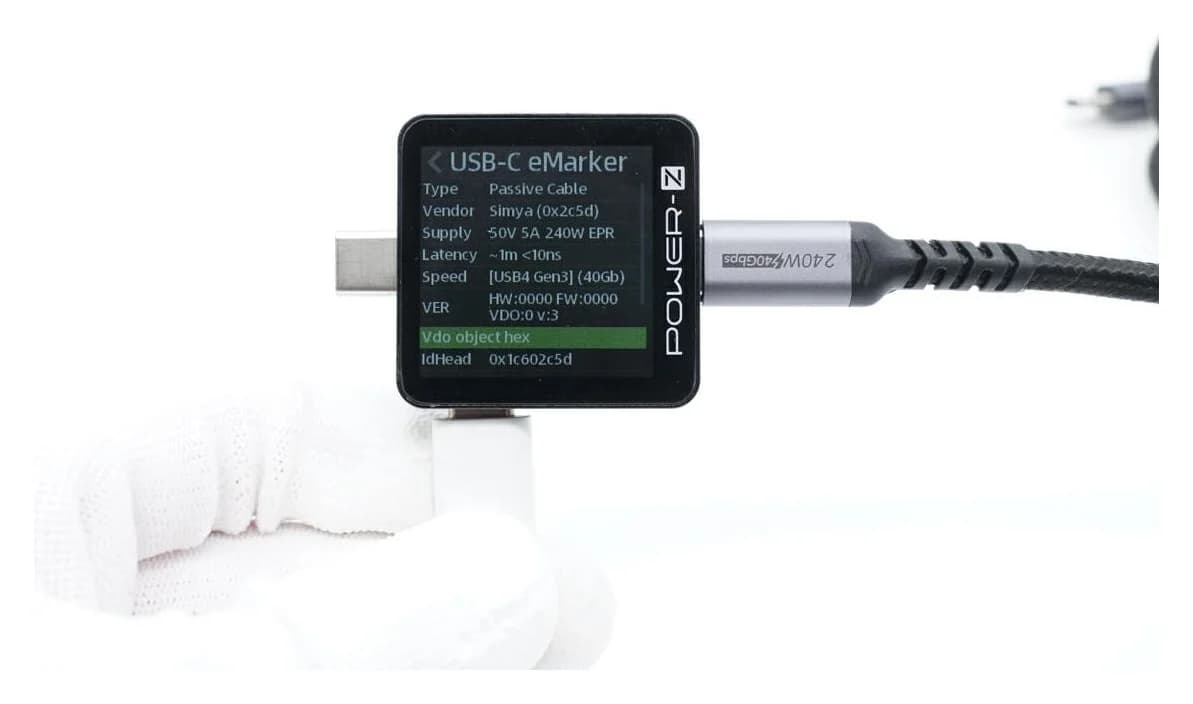
Compare AVHzY CT-3 and POWER-Z KM003C USB multimeters for EPR, offline logging, PC software and load kits. Avoid accessory mismatches and voltage-limit traps.
Best picks
Best Anemometers for Vents, Ducts and Outdoor Air Speed
Choose an anemometer for exposed vents, narrow ducts or outdoor wind checks. Compare probe sizes, low-speed limits, accuracy, calibration and complete packages.