

Best picks
Best PoE Testers for IP Cameras
Draw, Class or Loaded Power?
Find the right PoE tester for IP cameras: compare live camera draw, loaded port checks, power negotiation, link-speed limits and the complete adapter kit.
By thisMETER EditorialUpdated November 3, 20267 min read1 pick
On this page · Our picks at a glance
Our picks at a glance
- 1
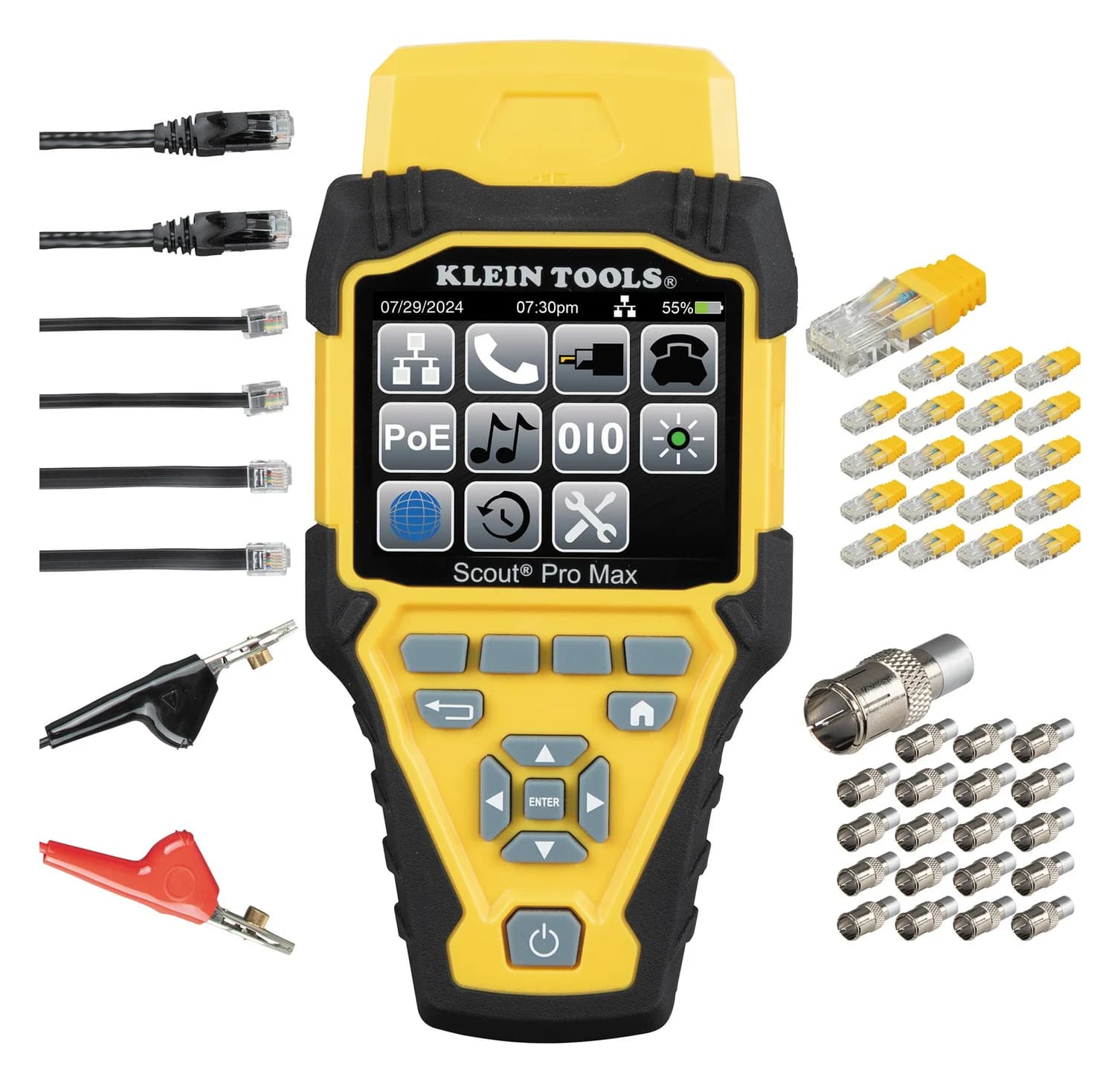
Choose for: Use your existing verifier
Check before buying: A verification tool, not a certifier: it can't certify Cat 6 or 6A performance to TIA limits
For watching a connected IP camera's consumption, our pick is the PoE Texas PoE Tester Gen2.5, an inline volts, amps and watts meter. Choose the Fluke Networks LinkIQ LIQ-100 when you need to verify that the switch and installed cable deliver negotiated PoE power under load. Owners of a Klein Scout Pro Max VDV501-770 can start with its PoE type, wiring-mode and voltage checks when those answer the question.
Research-based recommendations from manufacturer documentation, checked November 3, 2026; no physical product testing.
Quick picks: buy the missing measurement
- See the camera's consumption: Gen2.5, with the camera connected through it.
- Validate power delivery before fitting the camera: LinkIQ LIQ-100, using the tester as the powered endpoint.
- Identify the supply with equipment you own: Scout Pro Max, for its documented detection results.
The Gen2.5 manual, LinkIQ manual and Scout Pro Max instructions establish these different modes. Choose the result you need before comparing feature counts.
Compare PoE modes and data limits
PoE Texas Gen2.5
- Measurement job
- Inline device volts, amps and watts
- Camera connected during this test?
- Yes, for consumption
- Documented power support
- Passive; IEEE 802.3af/at/bt, including a four-pair/Type 4 claim; range caveat below
All specifications
- Meaning of its speed specification
- 10/100/1000 Mb/s pass-through
Fluke LinkIQ LIQ-100
- Measurement job
- Negotiated-power load test
- Camera connected during this test?
- No; tester acts as the powered device
- Documented power support
- IEEE 802.3af/at/bt; hardware Classes 0–8; single- and dual-signature diagnostics
All specifications
- Meaning of its speed specification
- Cable qualification up to 10 Gb/s, separate from the PoE load test
Klein Scout Pro Max VDV501-770
- Measurement job
- PoE detection, voltage and detected-type maximum wattage
- Camera connected during this test?
- No; tester connects to the supply cable
- Documented power support
- IEEE 802.3af/at/bt, Types 1–4; passive to 60 V; Mode A, B and four-pair identification
All specifications
- Meaning of its speed specification
- Reports advertised network speeds up to 10GBASE-T
Full comparison table
Swipe to compare. Row labels stay visible.
| Exact tester | Measurement job | Camera connected during this test? | Documented power support | Meaning of its speed specification |
|---|---|---|---|---|
| PoE Texas Gen2.5 | Inline device volts, amps and watts | Yes, for consumption | Passive; IEEE 802.3af/at/bt, including a four-pair/Type 4 claim; range caveat below | 10/100/1000 Mb/s pass-through |
| Fluke LinkIQ LIQ-100 | Negotiated-power load test | No; tester acts as the powered device | IEEE 802.3af/at/bt; hardware Classes 0–8; single- and dual-signature diagnostics | Cable qualification up to 10 Gb/s, separate from the PoE load test |
| Klein Scout Pro Max VDV501-770 | PoE detection, voltage and detected-type maximum wattage | No; tester connects to the supply cable | IEEE 802.3af/at/bt, Types 1–4; passive to 60 V; Mode A, B and four-pair identification | Reports advertised network speeds up to 10GBASE-T |
Scroll horizontally to see every column
| Exact tester | Measurement job | Camera connected during this test? | Documented power support | Meaning of its speed specification |
|---|---|---|---|---|
| PoE Texas Gen2.5 | Inline device volts, amps and watts | Yes, for consumption | Passive; IEEE 802.3af/at/bt, including a four-pair/Type 4 claim; range caveat below | 10/100/1000 Mb/s pass-through |
| Fluke LinkIQ LIQ-100 | Negotiated-power load test | No; tester acts as the powered device | IEEE 802.3af/at/bt; hardware Classes 0–8; single- and dual-signature diagnostics | Cable qualification up to 10 Gb/s, separate from the PoE load test |
| Klein Scout Pro Max VDV501-770 | PoE detection, voltage and detected-type maximum wattage | No; tester connects to the supply cable | IEEE 802.3af/at/bt, Types 1–4; passive to 60 V; Mode A, B and four-pair identification | Reports advertised network speeds up to 10GBASE-T |
Sources: PoE Texas specifications, Fluke specifications and the manuals above. The speed column describes different functions: do not read LinkIQ's cable qualification or Klein's advertised port speed as inline throughput.
Best for live camera consumption: PoE Texas PoE Tester Gen2.5
Choose the exact POE-TESTER-GEN2.5 package. Its online manual describes this connection:
Switch/injector → installed cable → Gen2.5 Power In / Power Out → camera.
With a powered device connected, the display scrolls through voltage, current and watts. With Simulate PoE Device enabled and no powered device connected, its documented reading is source voltage only. That is useful for an initial supply check, but it does not establish that the port delivers the camera's required power under load.
The documented 10/100/1000 Mb/s data rate makes this the inline choice here for links within that range. Check the camera's Ethernet specification before inserting it into a faster link. The maker describes uninterrupted data flow during operation; schedule an outage to insert or remove it, because disconnecting a powered device makes a standards-based PSE remove power, as Fluke explains.
The important ambiguity: PoE Texas advertises four-pair IEEE 802.3bt Type 4 support, while both its shop specifications and manual retain an 802.3af/at standard row and list the PoE display range as 12–57 volts, 0–1500 mA. We cannot resolve that documentation into a guaranteed high-power RJ45 limit. For a demanding bt camera, confirm the current limit for your pair mode with the maker before buying.
See the Gen2.5 package at PoE Texas.
Best for loaded port validation: Fluke Networks LinkIQ LIQ-100
Buy LIQ-100 for the wired PoE job. Fluke's manual, under Power over Ethernet Tests, establishes the capability: LinkIQ acts as a powered device, negotiates a hardware class and applies a load. If that succeeds, it attempts LLDP/CDP software negotiation and tests the software-negotiated power too.
Its results distinguish loaded watts at the powered device, measured voltage under load and the required voltage threshold. It also provides single-signature and dual-signature results. Those distinctions earn this recommendation; a screen that merely recognizes PoE is answering a narrower question.
For a camera installation, connect at the camera end through the installed cable so that the test includes that path. Compare the result with the camera's stated power requirement. A missing software-negotiation result is not automatically a failed load test: the manual says that section can be absent when software negotiation is unsupported.
The trade-off: the camera is disconnected while LinkIQ supplies the test load, so the reported watts are not the running camera's consumption. A pass applies to the negotiated class and conditions of that test. Fluke also identifies an exhausted switch power budget as a failure cause; the result needs interpreting with the other connected devices in view.
See LinkIQ models and specifications at Fluke Networks.
Use your existing verifier: Klein Scout Pro Max VDV501-770
Start here if you already own it and need identification rather than another instrument. Klein's instructions show detected PoE type, wiring mode, measured voltage and maximum wattage for the detected PoE.
Klein Tools
A color-screen voice, data and video cable tester that maps RJ45, RJ11/12 and coax wiring, measures cable length with TDR, identifies up to 20 locations, tests PoE and reports advertised link speed.
Check package and model options
- IEEE 802.3af/at/bt PoE (Types 1-4); 10/100/1G/10GBASE-T link speeds
The documented support includes IEEE 802.3af/at/bt Types 1–4, passive PoE up to 60 V, and Mode A, B and four-pair identification. Its active-network feature reports advertised speeds, including 10GBASE-T. An advertised speed is not a cable-performance qualification result.
The limit: the manual does not establish camera-current pass-through measurement or a negotiated-power load test. Treat its maximum-wattage display as detected-type information. Choose Gen2.5 when you need actual device draw, or LinkIQ when you need loaded validation.
If wire faults are the main problem, our Ethernet cable tester guide covers that purchase. The MicroScanner2 vs LinkIQ comparison addresses verification versus qualification in more detail.
PoE tester vs cable tester: what does the result prove?
Consumption, negotiation and loaded delivery are separate evidence. Gen2.5 needs the connected device to display its current and watts. LinkIQ negotiates and applies its own load. Scout Pro Max's manual labels its wattage field as the maximum for the detected PoE. The linked manuals support those distinctions; do not substitute one result for another.
- Yes: Inline consumption: Gen2.5 observes the connected device's draw.
- Partly: Source voltage alone: useful for identification; loaded delivery still needs checking.
- No: Detected-type maximum wattage: does not establish the running camera's consumption.
Compare power at the same location. Klein's detectable-standards table lists Type 4 maximum power delivered by the source as 90 W, versus 71.3 W available at the powered device. Those are the manual's standard-level figures, not readings from a camera. LinkIQ's loaded-power result is explicitly reported at the powered device; compare that with an endpoint requirement rather than confusing it with the source's headline wattage.
Check the pair sets. Klein identifies Mode A as pins 1 and 2, and 3 and 6, Mode B as pins 4 and 5, and 7 and 8, and separately identifies four-pair power. Fluke's load-testing explanation also distinguishes single-signature from independent dual-signature pair sets. For a camera that specifies a particular implementation, match that detail before treating a bt label as sufficient.
A wiring pass answers another question. Fluke explains that simple DC continuity can pass a split pair. Use the appropriate wiremap or qualification function for cable faults; a voltage indication alone does not establish a usable data link.
Buying guide: assemble the complete camera-test setup
Gen2.5
- Documented contents relevant here
- Tester, user guide, 5.5 × 2.1 mm DC jumper; no Ethernet lead listed
- Buying implication
- Provide the extra Ethernet patch lead for insertion; the DC jumper is for separate power-supply tests
LIQ-100
- Documented contents relevant here
- Remote ID 1, RJ45 patch lead, RJ45/11 adapter and case; product page lists an AC charger
- Buying implication
- Suitable starting package for the wired load test
LIQ-KIT
- Documented contents relevant here
- Remote IDs 1–7, patch lead, adapter, charger, IntelliTone Pro 200 probe and duffle bag
- Buying implication
- Buy for tracing and multiple locations; the load-test capability is already in LIQ-100
LinkIQ Duo
- Documented contents relevant here
- Adds Wi-Fi analysis to the LinkIQ family
- Buying implication
- Choose when Wi-Fi analysis is part of your work
Full comparison table
Swipe to compare. Row labels stay visible.
| Package | Documented contents relevant here | Buying implication |
|---|---|---|
| Gen2.5 | Tester, user guide, 5.5 × 2.1 mm DC jumper; no Ethernet lead listed | Provide the extra Ethernet patch lead for insertion; the DC jumper is for separate power-supply tests |
| LIQ-100 | Remote ID 1, RJ45 patch lead, RJ45/11 adapter and case; product page lists an AC charger | Suitable starting package for the wired load test |
| LIQ-KIT | Remote IDs 1–7, patch lead, adapter, charger, IntelliTone Pro 200 probe and duffle bag | Buy for tracing and multiple locations; the load-test capability is already in LIQ-100 |
| LinkIQ Duo | Adds Wi-Fi analysis to the LinkIQ family | Choose when Wi-Fi analysis is part of your work |
Scroll horizontally to see every column
| Package | Documented contents relevant here | Buying implication |
|---|---|---|
| Gen2.5 | Tester, user guide, 5.5 × 2.1 mm DC jumper; no Ethernet lead listed | Provide the extra Ethernet patch lead for insertion; the DC jumper is for separate power-supply tests |
| LIQ-100 | Remote ID 1, RJ45 patch lead, RJ45/11 adapter and case; product page lists an AC charger | Suitable starting package for the wired load test |
| LIQ-KIT | Remote IDs 1–7, patch lead, adapter, charger, IntelliTone Pro 200 probe and duffle bag | Buy for tracing and multiple locations; the load-test capability is already in LIQ-100 |
| LinkIQ Duo | Adds Wi-Fi analysis to the LinkIQ family | Choose when Wi-Fi analysis is part of your work |
Contents: Gen2.5 parts list and Fluke's model list. Fluke's datasheet describes charging and USB cables, whereas the product page describes an AC charger; confirm the exact regional box contents. Gen2.5 requires no batteries, according to its manual.
Check passive polarity before ordering adapters. The Gen2.5 manual says it cannot measure reverse-polarity Mode B without a pair of WS-CS-RJ45 reversing cables. That is a documented accessory requirement, not confirmation of current accessory availability. Have PoE Texas confirm a supported complete setup for that source and camera before ordering.
Match the observation to the fault. For nighttime resets, include the camera's documented night/IR settings when observing operation. For example, Axis's camera manual distinguishes night mode from enabling its built-in IR light. Do not size a supply solely from one observed operating state; compare the camera's documented requirement with the loaded result as well.
Specify the endpoint
Record the camera's required PoE implementation, power requirement and Ethernet speed.
Select the measurement
Choose connected-device consumption, source identification or negotiated-power load validation.
Complete the connection
Confirm patch leads, polarity adapters, regional charging accessories and the exact kit contents.
How we choose
We compared official product pages, manuals and package lists, checked November 3, 2026. Recommendations reflect documented measurement modes, pair support, data limits and included accessories. This is desk research: we publish no physical test results or verified accuracy claims for these instruments. Unresolved manufacturer wording is identified above; our selection method explains the approach.
Verdict
Choose Gen2.5 to watch a connected camera's draw, LinkIQ LIQ-100 to validate negotiated power under load, or keep using Scout Pro Max when type, wiring-mode and voltage checks answer the question. Match the camera, measurement mode and complete connection kit before buying.
Frequently asked questions
What is the best PoE tester for IP cameras?
Choose the PoE Texas Gen2.5 to watch a connected camera's volts, amps and watts through an inline meter. Choose Fluke LinkIQ LIQ-100 to replace the camera temporarily and verify negotiated power under load through the installed cable. These answer different questions. An existing Klein Scout Pro Max can handle initial PoE type, wiring-mode and voltage checks before you decide which extra capability you need.
Does the PoE Texas Gen2.5 support Gigabit and PoE++?
Its product page and current online manual specify 10/100/1000 data rates and support for passive PoE and IEEE 802.3af/at/bt. The maker also claims Type 4 support, but retains an af/at-only standard row and a PoE display range of 12–57 volts, 0–1500 mA. For a high-power camera, confirm the applicable current limit with PoE Texas; the separate DC-power headline is not an RJ45 power rating.
Can a cable tester measure a camera's actual PoE consumption?
Check its documented mode. The Scout Pro Max manual describes detected PoE type, measured voltage and maximum wattage for the detected PoE; that does not establish camera consumption or a loaded-power test. Gen2.5 reports volts, amps and watts with a powered device connected. LinkIQ applies its own test load, so its loaded watts describe that test rather than the running camera.
Does a passing LinkIQ PoE test prove the camera will work?
A pass supports the negotiated class under the test conditions. It does not establish the camera's configuration or reproduce every operating state. Compare the camera's required PoE class with the hardware and software results, and check its actual operation separately. Fluke's manual identifies an exhausted switch power budget as a possible failure cause, so keep the other connected devices in mind when evaluating the result.
Related guides
Comparison · Cable Testers
Fluke MicroScanner2 vs LinkIQ: Verify Wiring or Qualify Cable Speed?
Choose between Fluke MicroScanner2 and LinkIQ for wiring checks, cable speed qualification, PoE load tests and saved reports. Compare models and kit contents.
Comparison · Cable Testers
Klein LAN Scout Jr. 2 vs Scout Pro Max: Which LAN Cable Tester?
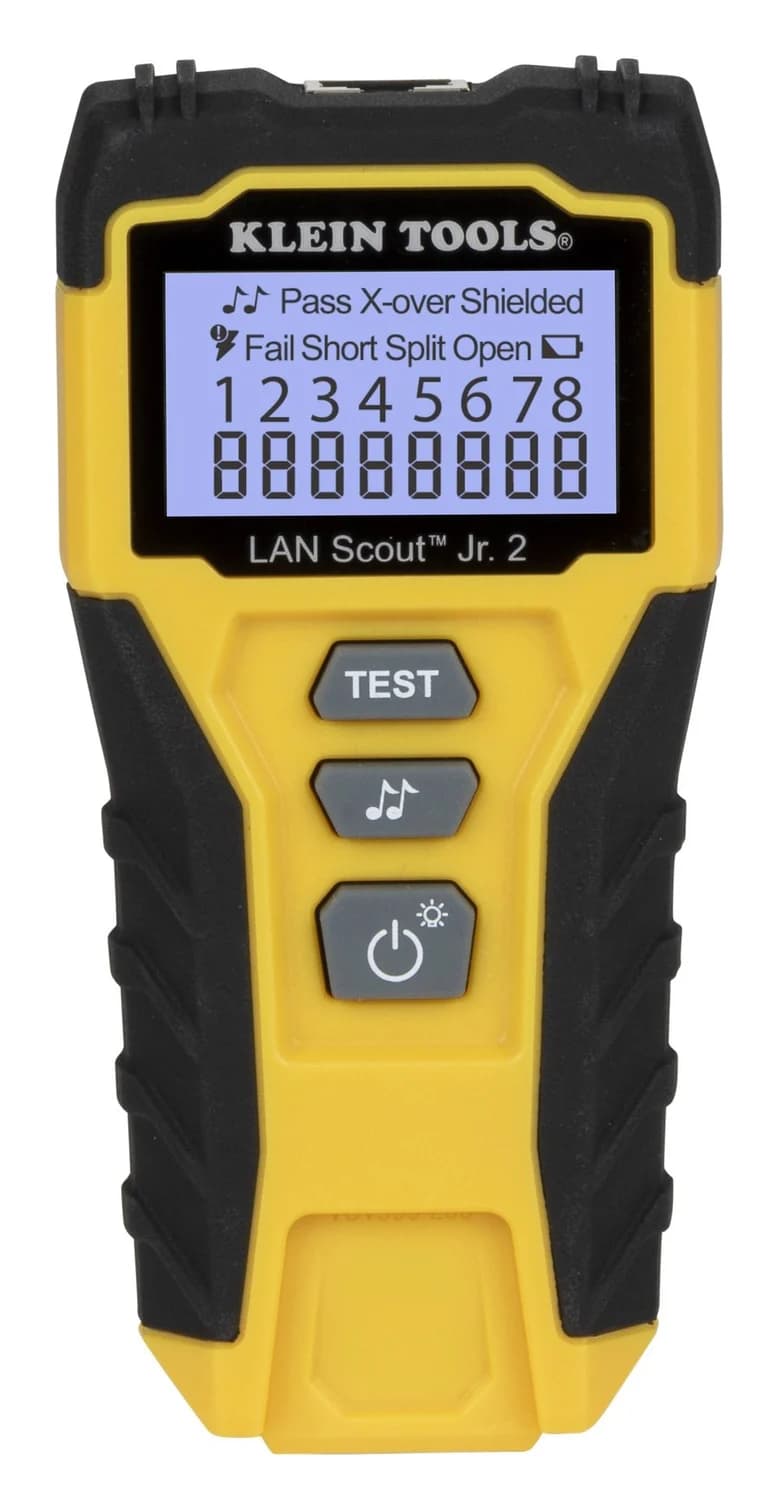
Choose the right Klein LAN cable tester: compare Jr. 2 wiremap with Pro Max length, PoE and reports, plus the remotes, probes and exact kit contents you need.
Buying guide · Cable Testers
How to Test Ethernet Cable: Wiremap, Split Pairs and Speed Checks
Test Ethernet cables and wall jacks, find opens, shorts and split pairs, isolate patch leads, and check link speed before replacing cable or buying a tester.