

Comparison
Plugable VAMETER3 vs METER3-1MF
Which USB-C Power Meter?
Choose between Plugable's detachable VAMETER3 and METER3-1MF meter cable, with clear advice on reach, displays, 240W charging, data, video and PD analysis.
By thisMETER EditorialUpdated November 3, 20267 min read1 pick
Our recommendation: Plugable USBC-VAMETER3
Best for comparing setups
Limit: Shows volts, amps, watts and direction only: Plugable lists no energy totals, PD profile readout or e-marker test
On this page · Our picks at a glance
Our picks at a glance
- 1
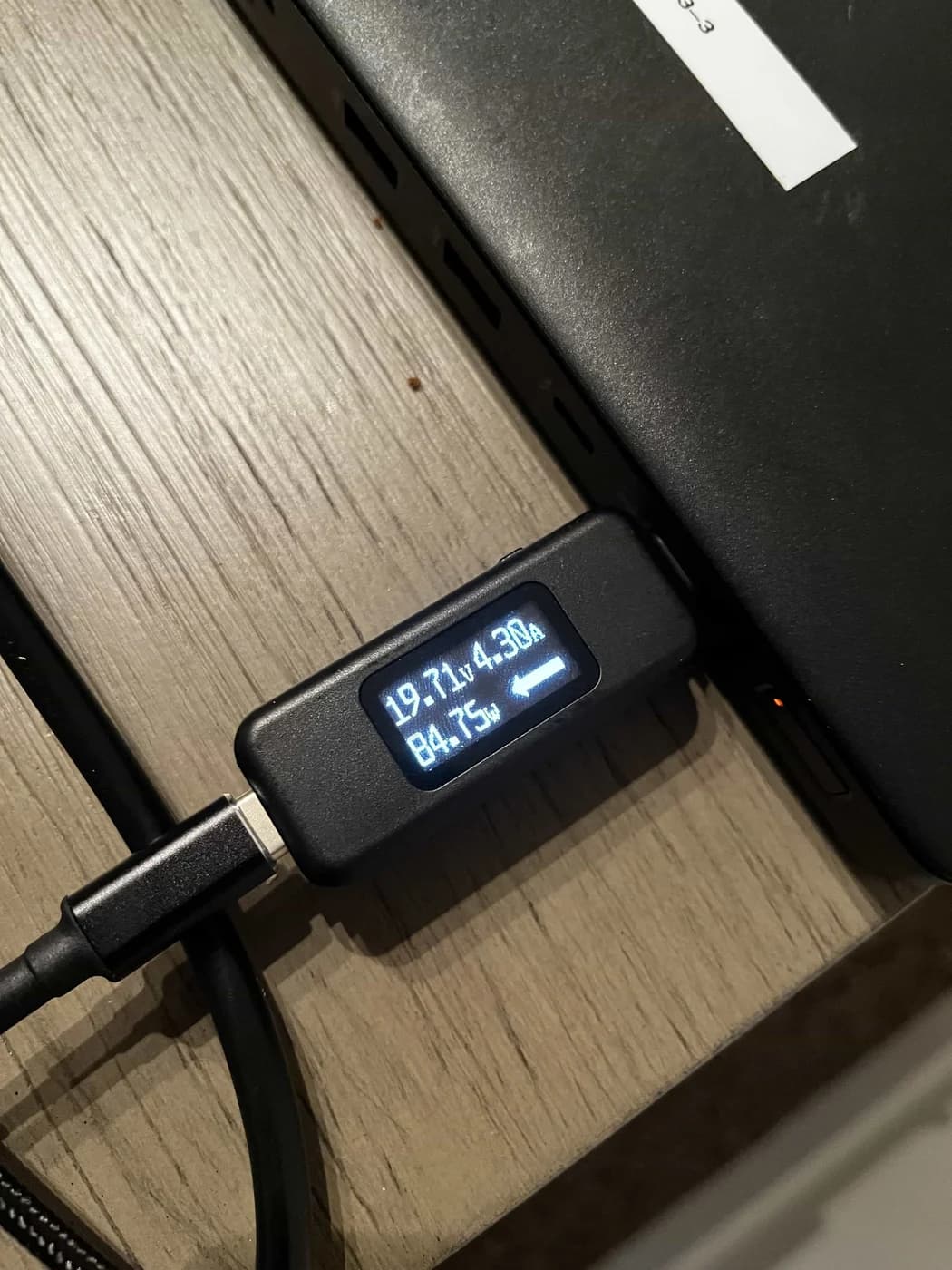
Choose for: Best for comparing setups
Check before buying: Shows volts, amps, watts and direction only: Plugable lists no energy totals, PD profile readout or e-marker test
Choose the Plugable USBC-VAMETER3 if you want a separate USB-C power meter to move between chargers, cables and laptops. Choose the USBC-METER3-1MF if you specifically want an extra 1 m (3.3 ft) of cable reach and a power display that stays with that extension.
Quick picks and comparison
- For comparing charging setups: get the VAMETER3 and use a suitable USB-C cable you already own. Its screen shows volts, amps, calculated watts and current direction.
- For a desk with a hard-to-reach port: get the METER3-1MF and keep your existing cable. The display sits at the extension's female end, away from its male plug.
- For investigating PD negotiation: jump to the analyzer advice below. Passing USB Power Delivery through a meter is different from displaying its messages.
Both carry a manufacturer-stated 240W charging ceiling and 10Gbps USB data capability. The comparison below uses Plugable's VAMETER3 specifications and its official METER3-1MF documentation; all capabilities remain subject to the complete connection.
Compare specifications and all conditions
What are you buying?
- USBC-VAMETER3
- Separate inline meter body
- USBC-METER3-1MF
- Male-to-female USB-C extension with an integrated meter
Added cable reach
- USBC-VAMETER3
- No extension cable included
- USBC-METER3-1MF
- 1 m / 3.3 ft
Display information documented
- USBC-VAMETER3
- Volts, amps, calculated watts, current direction
- USBC-METER3-1MF
- Approximate charge rate in watts
Display placement
- USBC-VAMETER3
- At the meter body; button flips the screen 180 degrees
- USBC-METER3-1MF
- At the female end of the extension
Charging support
- USBC-VAMETER3
- USB PD 3.1 EPR, up to 240W
- USBC-METER3-1MF
- USB PD 3.1 EPR, up to 240W
USB data
- USBC-VAMETER3
- Up to 10Gbps
- USBC-METER3-1MF
- Up to 10Gbps
USB-C video
- USBC-VAMETER3
- Alternate Mode pass-through; no numerical resolution ceiling given in its own specifications
- USBC-METER3-1MF
- DisplayPort Alternate Mode up to 4K 60Hz, host dependent
Accuracy information
- USBC-VAMETER3
- Maker reports within ±3% at 20V
- USBC-METER3-1MF
- No numerical accuracy specification in the documentation reviewed
Explicit exclusions
- USBC-VAMETER3
- Thunderbolt 3 devices
- USBC-METER3-1MF
- Thunderbolt 3, Thunderbolt 4 and USB4 devices
Full comparison table
Swipe to compare. Row labels stay visible.
| Buying question | USBC-VAMETER3 | USBC-METER3-1MF |
|---|---|---|
| What are you buying? | Separate inline meter body | Male-to-female USB-C extension with an integrated meter |
| Added cable reach | No extension cable included | 1 m / 3.3 ft |
| Display information documented | Volts, amps, calculated watts, current direction | Approximate charge rate in watts |
| Display placement | At the meter body; button flips the screen 180 degrees | At the female end of the extension |
| Charging support | USB PD 3.1 EPR, up to 240W | USB PD 3.1 EPR, up to 240W |
| USB data | Up to 10Gbps | Up to 10Gbps |
| USB-C video | Alternate Mode pass-through; no numerical resolution ceiling given in its own specifications | DisplayPort Alternate Mode up to 4K 60Hz, host dependent |
| Accuracy information | Maker reports within ±3% at 20V | No numerical accuracy specification in the documentation reviewed |
| Explicit exclusions | Thunderbolt 3 devices | Thunderbolt 3, Thunderbolt 4 and USB4 devices |
Scroll horizontally to see every column
| Buying question | USBC-VAMETER3 | USBC-METER3-1MF |
|---|---|---|
| What are you buying? | Separate inline meter body | Male-to-female USB-C extension with an integrated meter |
| Added cable reach | No extension cable included | 1 m / 3.3 ft |
| Display information documented | Volts, amps, calculated watts, current direction | Approximate charge rate in watts |
| Display placement | At the meter body; button flips the screen 180 degrees | At the female end of the extension |
| Charging support | USB PD 3.1 EPR, up to 240W | USB PD 3.1 EPR, up to 240W |
| USB data | Up to 10Gbps | Up to 10Gbps |
| USB-C video | Alternate Mode pass-through; no numerical resolution ceiling given in its own specifications | DisplayPort Alternate Mode up to 4K 60Hz, host dependent |
| Accuracy information | Maker reports within ±3% at 20V | No numerical accuracy specification in the documentation reviewed |
| Explicit exclusions | Thunderbolt 3 devices | Thunderbolt 3, Thunderbolt 4 and USB4 devices |
These are documented capabilities, not a promise that every combination delivers maximum charging power, data speed and video performance simultaneously.
Best for comparing setups: Plugable USBC-VAMETER3
Plugable
A thumb-size inline USB-C meter that shows volts, amps, watts and the direction of current on an OLED screen while passing data, video and USB PD 3.1 EPR power up to 240 W.
Check package and model options
- 240 W max
- 50 V max
- 6.5 A max
The VAMETER3 is our default pick for a laptop owner checking several chargers or cables. Plugable documents bidirectional operation, an OLED screen and a button that rotates the display 180 degrees. Its setup instructions explicitly list voltage, amperage, current direction and approximate watts, giving you more information than the cable's documented watt readout.
The separate body is the reason to choose it: move it to the connection you want to inspect while keeping the existing cable arrangement. Plugable describes use between a host and charger, between a host and docking station, and with a bus-powered accessory. A removable meter suits those occasional comparisons better than buying an extension solely to obtain its screen.
There are two specifications to keep separate. The maker lists an operating range of 4.5–50V and 50mA–6.5A, but the port table rates USB-C power at 48V, 5A and 240W. The operating-range endpoints do not authorize a higher-power charging connection.
Best for extra reach: Plugable USBC-METER3-1MF
Choose this model when the extension itself solves a problem. It adds 1 m (3.3 ft), uses a braided cord and aluminum housing, and places the OLED at the female connector. Plugable describes bringing a rear desktop or docking-station port to a more convenient location with the display easier to see.
Its connector layout matters more than the word “cable.” This is an extension, so a typical laptop setup still uses your existing USB-C charging cable. Plugable's described arrangement connects the male end, which has no display, to the charger, then connects a separate cable to the female end with the display. Operation is bidirectional, so that arrangement is an example rather than a fixed power direction.
The documented readout is approximate watts. The specification pages reviewed do not give a meter voltage/current operating range, numerical accuracy, or a display-rotation feature for this model. Do not transfer those specifications from the adjacent VAMETER3 column in Plugable's comparison table.
The package choice: buy this extension when you already have a suitable charging cable and want more reach. If you need a complete charger-to-laptop connection from scratch, account for the separate cable as well.
Where the screen sits in your connection
The VAMETER3 is a separate inline body; the extension's screen is attached to its female end. Decide where you want to read the display before ordering. These are example arrangements based on Plugable's setup instructions:
VAMETER3
Charger → separate meter body → existing USB-C cable → laptop. The display stays beside the charger in this arrangement.
METER3-1MF
Charger → extension's male plug → extension cord → female end with display → existing USB-C cable → laptop.
For a charger behind furniture, our preference is the extension because it can bring the readout forward. For a bag of chargers and cables, our preference is the separate meter because extra reach is not the task. Neither recommendation requires claiming that one meter is inherently more accurate.
Power, data and video: check the whole cable chain
Plugable explicitly says the extension's power, data and video depend on the attached USB-C cable and other devices. Its comparison table also includes ordinary cables with different capabilities: those other columns do not upgrade either meter.
Charging: the 240W rating is a ceiling, not a promised laptop reading. The USB-IF Power Delivery overview explains that devices take only the power they require. Select a charger, device and cable that support the charging mode you need; adding an EPR-capable meter cannot supply a missing capability.
Data: both meter products are documented for 10Gbps USB operation. Plugable's VAMETER3 page uses both USB 3.1 Gen 2 and USB 3.2 Gen 2 terminology; its port table explicitly identifies 10Gbps. Judge the stated speed rather than treating the different revision names as different meter variants.
Video: Plugable specifies the extension for DisplayPort Alternate Mode up to 4K 60Hz, with the host determining support. The VAMETER3 page documents Alternate Mode pass-through without an equivalent numerical resolution guarantee. A successful charging reading does not verify the video path.
Thunderbolt and USB4: the VAMETER3 page explicitly excludes Thunderbolt 3 devices. The extension documentation excludes Thunderbolt 3/4 and USB4 peripherals, while explaining that an ordinary USB-C peripheral can still connect through a computer's Thunderbolt/USB4 port. Distinguish the port's shape and available modes from the protocol your dock actually needs. We would choose a different, explicitly supported connection for a Thunderbolt/USB4 dock.
Docking distance: Plugable's current host-cable support article permits its 1 m extension plus the original 1 m USB-C docking cable for 2 m overall. It does not support longer USB-C host connections or third-party extensions with its products. This is Plugable's docking support limit, not a universal USB-C length rule.
- Yes: Match charging capability across charger, device and every cable in the connection
- Partly: Data and video work only within the connected equipment's supported modes
- No: A USB-C plug or high wattage rating does not establish Thunderbolt or USB4 support
What the display cannot diagnose
Plugable says these meters obtain their readings from the power and ground connections while leaving data lines untouched. Their documented screens do not include a charger's PDO list or a cable's e-marker identity. A live watt reading therefore cannot answer every question about what the charger advertises or what the cable identifies itself as supporting.
For those questions, the ChargerLAB POWER-Z KM003C product page explicitly lists PDO, e-marker and protocol tests, plus USB PD protocol analysis with PC software. Our USB-C power meter guide covers that analyzer alongside simpler displays. For a cable-focused decision, see USB-C cable testers.
For an ordinary charging comparison, keep the laptop, workload and battery state comparable, and change one part of the connection at a time. Record the complete arrangement, not just the displayed watts. This is a troubleshooting method; a smaller number by itself does not establish a defective charger. See How we measure for the site's measurement policy.
If a screen stays dark, Plugable says both products normally need a device connected at each end. Check the complete connection before treating an unlit, partly connected meter as faulty.
Exact variants and the checkout checklist
Check the complete model name: USBC-VAMETER3 and USBC-METER3-1MF are the two products compared here. Plugable's older USBC-VAMETER, without the final 3, is documented for USB PD 3.0 up to 100W, whereas VAMETER3 supports USB PD 3.1 EPR up to 240W. A similar photograph is not enough to identify the version.
For a gift or sale-weekend purchase, write down the recipient's laptop port, charger, existing cable and dock model first. Then choose the detachable meter or the extension deliberately, check the selected SKU, and confirm whether a suitable charging cable is already available. Evaluate the exact package and compatibility rather than a promotion label; this comparison makes no current-discount claim.
How we choose
This comparison is based on manufacturer documentation, not physical testing. We checked Plugable's product specifications, setup notes, accuracy FAQ, variant explanation and docking-cable support guidance, plus USB-IF's Power Delivery overview and ChargerLAB's analyzer specifications. We kept operating ranges separate from connection ratings and did not apply the standalone meter's accuracy result to the cable. Missing specifications remain unknown; our picks reflect the documented functions and the job each layout serves.
Verdict
Get the VAMETER3 for a separate readout you can move between charging setups, especially if you want volts and amps as well as watts. Get the METER3-1MF when its extra 1 m and display at the female end solve a desk-layout problem. If the question is about PD profiles or cable identity, choose an analyzer with those documented functions.
Frequently asked questions
Can the METER3-1MF replace my USB-C charging cable?
It is a male-to-female extension, so the normal laptop-charging arrangement still needs your existing USB-C charging cable. Plugable describes connecting the extension's male end to a charger and its female end, which contains the display, to the cable leading to the device. Choose it to extend a suitable cable; buy a separate charging cable if you do not already have one.
Does a 240W USB-C power meter support Thunderbolt or USB4?
A power rating does not establish data-protocol compatibility. Plugable rates both products for 10Gbps USB data. Its VAMETER3 page explicitly excludes Thunderbolt 3 devices; the METER3-1MF documentation excludes Thunderbolt 3, Thunderbolt 4 and USB4 devices. Choose a connection documented for your dock's actual protocol rather than assuming that the USB-C connector or 240W rating guarantees it.
Which Plugable meter is more accurate?
The available specifications do not support a head-to-head accuracy winner. Plugable reports that the VAMETER3 was within plus or minus 3% of the true value in its comparison at 20V. That is a manufacturer result at a stated voltage, not our verification across the operating range. The cable documentation reviewed here gives no numerical meter-accuracy specification, so the VAMETER3 figure cannot be applied to it.
Can either meter show why USB-C charging is slow?
The VAMETER3 displays voltage, current, calculated watts and current direction; the cable's documented readout shows approximate watts. Those readings help compare complete charging setups, but Plugable does not document PDO or e-marker readouts for these products. If you need the charger's advertised power profiles or the cable's electronic identity, use an analyzer with those functions, such as the ChargerLAB POWER-Z KM003C.
Plugable USBC-VAMETER3
AmazonRelated guides
Comparison · USB-C Power Meters
AVHzY CT-3 vs POWER-Z KM003C: Which USB Multimeter and Load Kit?
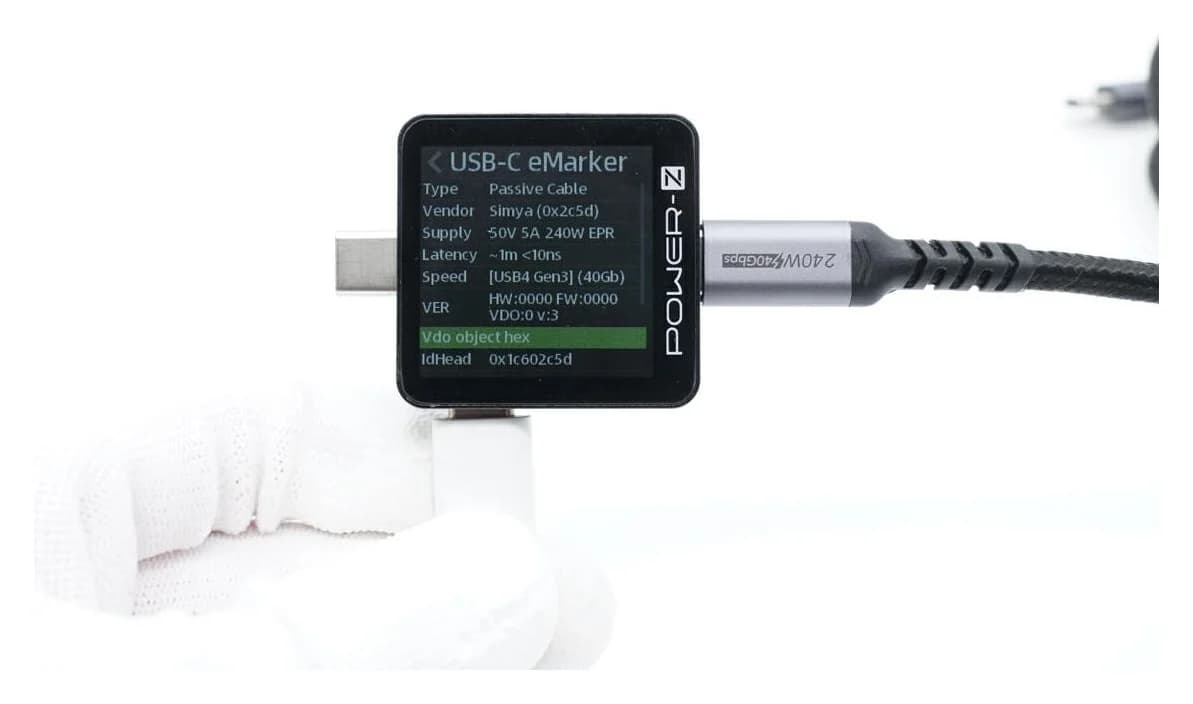
Compare AVHzY CT-3 and POWER-Z KM003C USB multimeters for EPR, offline logging, PC software and load kits. Avoid accessory mismatches and voltage-limit traps.
Comparison · USB-C Power Meters
Plugable USBC-VAMETER3 vs Klein ET920: Which USB Power Meter?
Choose a USB power meter for EPR laptop charging or USB-A and USB-C accessories. Compare Plugable VAMETER3 and Klein ET920 connections, memory and limits.
Comparison · USB-C Power Meters
POWER-Z KM003C vs FNIRSI FNB58: PD, EPR and Cable Checks
Compare POWER-Z KM003C and FNIRSI FNB58 for EPR and cable checks, with clear picks, voltage limits, connector paths, firmware and Bluetooth variant advice.