

Comparison
Plugable USBC-VAMETER3 vs Klein ET920
Which USB Power Meter?
Choose a USB power meter for EPR laptop charging or USB-A and USB-C accessories. Compare Plugable VAMETER3 and Klein ET920 connections, memory and limits.
By thisMETER EditorialUpdated November 3, 20268 min read2 picks
Our recommendation: Plugable USBC-VAMETER3
Best for EPR and live watts
Limit: Shows volts, amps, watts and direction only: Plugable lists no energy totals, PD profile readout or e-marker test
On this page · Our picks at a glance
Our picks at a glance
- 1
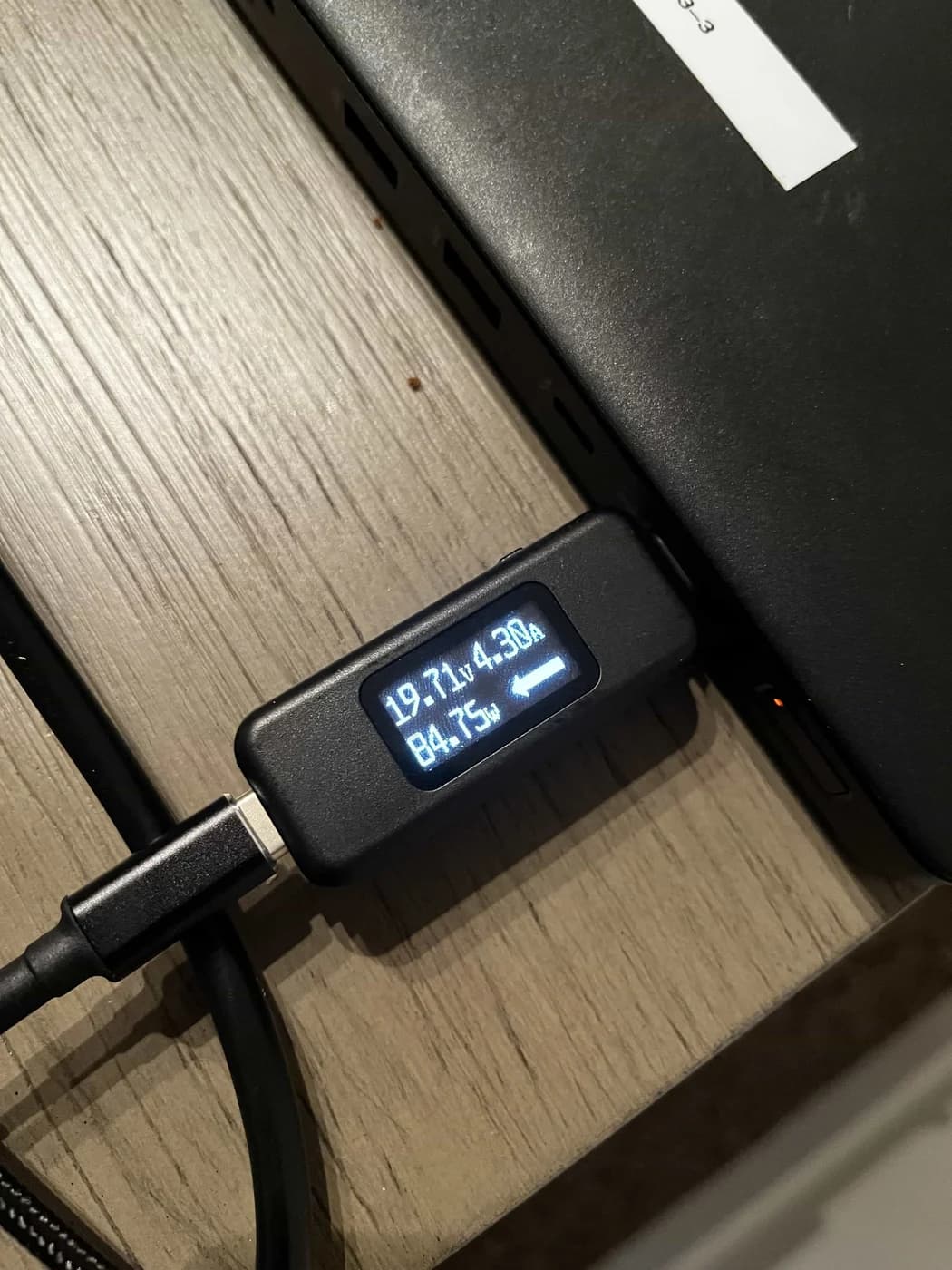
Choose for: Best for EPR and live watts
Check before buying: Shows volts, amps, watts and direction only: Plugable lists no energy totals, PD profile readout or e-marker test
- 2
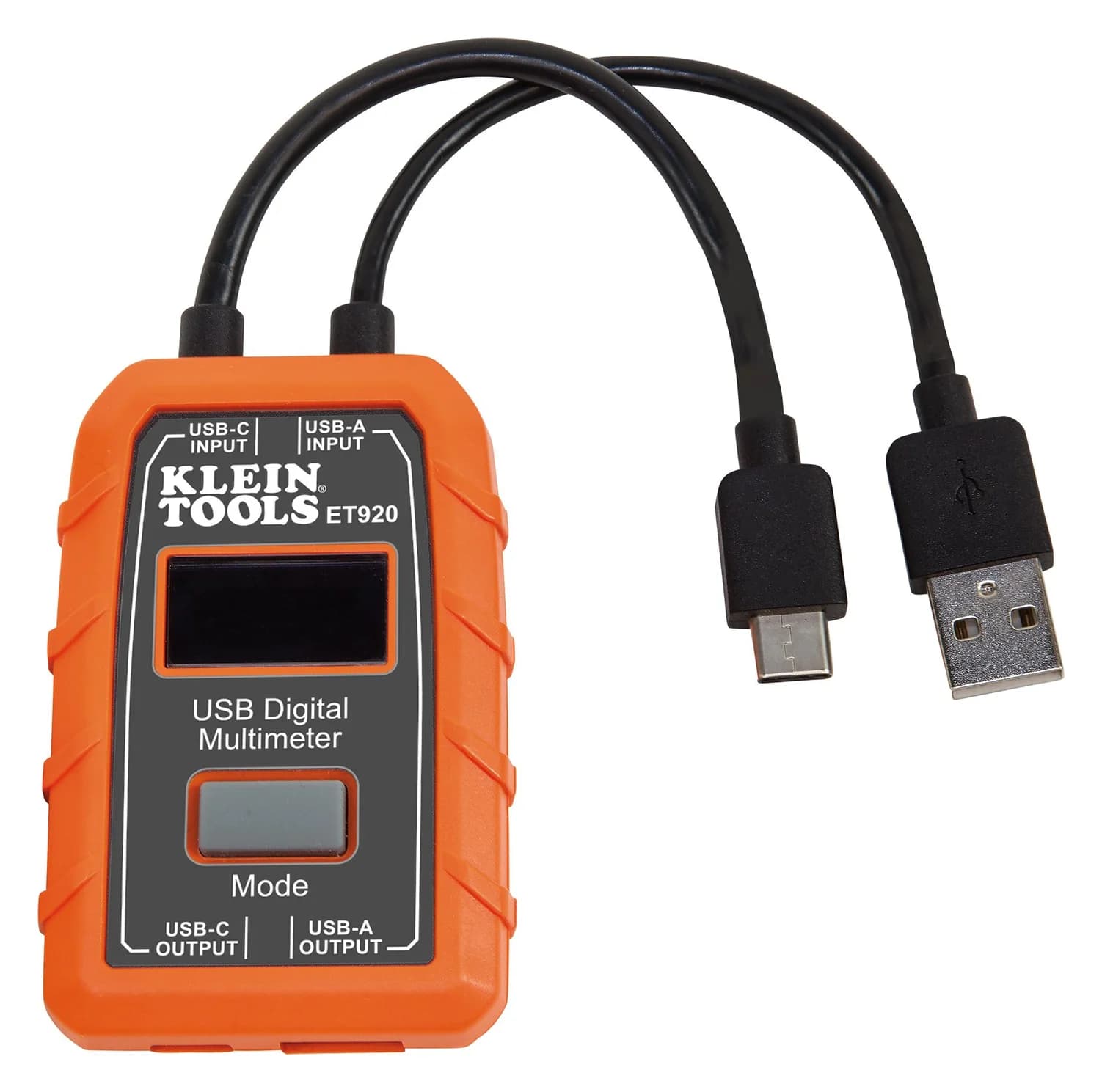
Choose for: Best for mixed connectors and energy totals
Check before buying: Tops out at 20 V: no USB PD EPR (28 V and up), and Klein warns that more than 24 V DC damages it
Choose the Plugable USBC-VAMETER3 for a simple USB-C power display, especially EPR laptop charging up to 240 W: it shows live volts, amps, calculated watts and current direction. Choose the Klein ET920 for USB-A as well as USB-C, delivered-energy totals and 10 saved readings, provided the connection stays within its 20 V ceiling. Plugable specifications, Klein specifications.
Quick picks and comparison
EPR or live watts: Plugable. Mixed USB connectors or session totals: Klein. If you need advertised charging profiles or cable wiring information, continue to the specialist guides linked below.
Compare specifications and all conditions
Connections
- Plugable USBC-VAMETER3
- USB-C; bidirectional
- Klein ET920
- USB-A or USB-C; matching input/output only, one side at a time
Voltage range
- Plugable USBC-VAMETER3
- 4.5–50 V
- Klein ET920
- 3–20 V DC
Current range
- Plugable USBC-VAMETER3
- 50 mA–6.5 A operating range
- Klein ET920
- 0.05–3 A USB-A; 0.05–5 A USB-C
EPR charging
- Plugable USBC-VAMETER3
- Up to 240 W; 48 V, 5 A
- Klein ET920
- Outside its voltage range
Live display
- Plugable USBC-VAMETER3
- Volts, amps, calculated watts, current direction
- Klein ET920
- Volts, amps, charge, energy, calculated resistance and elapsed time
Accumulated energy
- Plugable USBC-VAMETER3
- Not documented
- Klein ET920
- Wh and mAh totals
Saved readings
- Plugable USBC-VAMETER3
- Not documented
- Klein ET920
- Up to 10, saved manually
Display control
- Plugable USBC-VAMETER3
- OLED; button rotates screen 180 degrees
- Klein ET920
- LCD; Mode button selects memory and stores/clears readings
Full comparison table
Swipe to compare. Row labels stay visible.
| What matters | Plugable USBC-VAMETER3 | Klein ET920 |
|---|---|---|
| Connections | USB-C; bidirectional | USB-A or USB-C; matching input/output only, one side at a time |
| Voltage range | 4.5–50 V | 3–20 V DC |
| Current range | 50 mA–6.5 A operating range | 0.05–3 A USB-A; 0.05–5 A USB-C |
| EPR charging | Up to 240 W; 48 V, 5 A | Outside its voltage range |
| Live display | Volts, amps, calculated watts, current direction | Volts, amps, charge, energy, calculated resistance and elapsed time |
| Accumulated energy | Not documented | Wh and mAh totals |
| Saved readings | Not documented | Up to 10, saved manually |
| Display control | OLED; button rotates screen 180 degrees | LCD; Mode button selects memory and stores/clears readings |
Scroll horizontally to see every column
| What matters | Plugable USBC-VAMETER3 | Klein ET920 |
|---|---|---|
| Connections | USB-C; bidirectional | USB-A or USB-C; matching input/output only, one side at a time |
| Voltage range | 4.5–50 V | 3–20 V DC |
| Current range | 50 mA–6.5 A operating range | 0.05–3 A USB-A; 0.05–5 A USB-C |
| EPR charging | Up to 240 W; 48 V, 5 A | Outside its voltage range |
| Live display | Volts, amps, calculated watts, current direction | Volts, amps, charge, energy, calculated resistance and elapsed time |
| Accumulated energy | Not documented | Wh and mAh totals |
| Saved readings | Not documented | Up to 10, saved manually |
| Display control | OLED; button rotates screen 180 degrees | LCD; Mode button selects memory and stores/clears readings |
Sources: Plugable product page and FAQ, ET920 manual. “Not documented” means the cited maker documents do not describe that function; we have not inferred it from a product nickname such as “USB multimeter.”
- 240 WPlugable's supported EPR charging ceiling
- 10 readingsKlein's manually saved memory slots
Choose the Plugable USBC-VAMETER3 for USB-C and EPR
Plugable
A thumb-size inline USB-C meter that shows volts, amps, watts and the direction of current on an OLED screen while passing data, video and USB PD 3.1 EPR power up to 240 W.
Check package and model options
- 240 W max
- 50 V max
- 6.5 A max
The Plugable is our pick when the question is “How much charging power is flowing right now?” Its display supplies watts directly, and its direction indicator is useful when either connected device might supply power. Plugable says the meter is bidirectional, so either end can face the source. Its side button flips the display for readability. Setup instructions.
Separate the operating range from the charging specification: 6.5 A is the stated operating-current upper bound, while Plugable describes EPR charging at up to 48 V, 5 A and 240 W. Do not multiply the separate operating ceilings to invent a higher supported charging rating. The listed box contents are the meter alone; plan to use your own suitable charging/data cable. Specifications and box contents.
The buying trade-off is straightforward: Plugable documents a live display, without an energy accumulator or saved-reading function. Choose Klein if the result you want is a session total. Plugable display description.
Choose the Klein ET920 for mixed USB connectors and totals
Klein Tools
An inline USB meter with USB-A and USB-C pass-through that shows voltage, current, charge, energy and calculated resistance, powered by the port it measures.
Check package and model options
- 20 V max
- 5 A max
The ET920 suits a drawer containing USB-A charging accessories alongside USB-C devices. It has attached source-input leads and corresponding output ports; Klein specifies approximately 100 mm of cable. You still need the device's charging lead downstream. These attached leads are part of the meter, rather than a supplied USB-A-to-USB-C conversion cable. Klein connection diagram and package comparison.
It records delivered charge and energy, with display maxima of 99,999 mAh and 999 Wh, and elapsed time up to 999 hours, 59 minutes, 59 seconds. The manual qualifies these maxima as based on the display layout. Treat them as instrument limits, rather than a promise about a particular power bank's usable capacity. ET920 manual.
Klein's display diagram does not show a dedicated live-watts field. For instantaneous power, multiply the displayed voltage by current; Plugable explains the formula as P = V × I. Wh is accumulated energy, so it answers a different question from live W. Klein display labels, Plugable's wattage explanation.
Buying guide: build the source-to-meter-to-device connection
Choose the complete connection before ordering. The paths below describe power flow; follow the cable and device makers' ratings as well as the meter's limits.
USB-A charger and charging accessory
- Source → meter → device
- USB-A source → ET920 USB-A input → USB-A output → device's charging lead → device
- Choice and restriction
- Klein; USB-A current limit is 3 A
USB-A charger and USB-C phone
- Source → meter → device
- USB-A source → ET920 USB-A input → USB-A output → existing USB-A-to-USB-C cable → phone
- Choice and restriction
- Klein; the cable supplies the connector change, not crossed meter ports
USB-C phone or laptop charging within 20 V
- Source → meter → device
- USB-C source → meter → suitable USB-C cable → device
- Choice and restriction
- Either; stay within the selected meter's current range
EPR USB-C laptop charging
- Source → meter → device
- EPR source → VAMETER3 → suitable EPR cable → compatible device
- Choice and restriction
- Plugable; EPR fixed levels use 28 V, 36 V or 48 V
Turning a USB-C source into a USB-A socket through the ET920
- Source → meter → device
- USB-C input → USB-A output
- Choice and restriction
- Unsupported: Klein requires matching input and output types
Full comparison table
Swipe to compare. Row labels stay visible.
| Your setup | Source → meter → device | Choice and restriction |
|---|---|---|
| USB-A charger and charging accessory | USB-A source → ET920 USB-A input → USB-A output → device's charging lead → device | Klein; USB-A current limit is 3 A |
| USB-A charger and USB-C phone | USB-A source → ET920 USB-A input → USB-A output → existing USB-A-to-USB-C cable → phone | Klein; the cable supplies the connector change, not crossed meter ports |
| USB-C phone or laptop charging within 20 V | USB-C source → meter → suitable USB-C cable → device | Either; stay within the selected meter's current range |
| EPR USB-C laptop charging | EPR source → VAMETER3 → suitable EPR cable → compatible device | Plugable; EPR fixed levels use 28 V, 36 V or 48 V |
| Turning a USB-C source into a USB-A socket through the ET920 | USB-C input → USB-A output | Unsupported: Klein requires matching input and output types |
Scroll horizontally to see every column
| Your setup | Source → meter → device | Choice and restriction |
|---|---|---|
| USB-A charger and charging accessory | USB-A source → ET920 USB-A input → USB-A output → device's charging lead → device | Klein; USB-A current limit is 3 A |
| USB-A charger and USB-C phone | USB-A source → ET920 USB-A input → USB-A output → existing USB-A-to-USB-C cable → phone | Klein; the cable supplies the connector change, not crossed meter ports |
| USB-C phone or laptop charging within 20 V | USB-C source → meter → suitable USB-C cable → device | Either; stay within the selected meter's current range |
| EPR USB-C laptop charging | EPR source → VAMETER3 → suitable EPR cable → compatible device | Plugable; EPR fixed levels use 28 V, 36 V or 48 V |
| Turning a USB-C source into a USB-A socket through the ET920 | USB-C input → USB-A output | Unsupported: Klein requires matching input and output types |
The matching-connector paths come from Klein's monitoring instructions; the reversible USB-C path comes from Plugable's setup instructions. USB-IF specifies the EPR voltages and updated cable requirements. Confirm the charger, cable and device support your intended mode; inserting a meter does not make them an EPR setup.
For the ET920, use this connection order from its manual:
Choose one connector side
Match USB-A input to USB-A output, or USB-C input to USB-C output; leave the other side disconnected.
Connect the source first
Plug the corresponding attached input lead into the powered source.
Connect the device second
Attach its cable to the matching output. On USB-C, the downstream device must be connected for the display to turn on.
Plugable likewise says its display normally needs devices connected at both ends. A dark screen with just one end attached is therefore insufficient evidence of a failed source. Plugable power-on notes.
Energy totals, saved readings and reset traps
Klein's memory holds manually saved snapshots. During live monitoring, hold Mode for 3 seconds to save a reading; the slot flashes. Repeated saves fill the available locations, then overwrite the earlier records starting at the first slot. Press Mode to access memory and cycle through stored readings. This is not a documented automatic recording interval or computer-export workflow. Mode-button instructions.
Two resets serve different purposes. Holding Mode for 5 seconds from the Memory screen clears stored readings. Separately, the manual says mAh resets only when the source is disconnected. Do not assume clearing saved records starts a fresh charge total, or that reconnecting will resume every live total; the instructions do not give a separate Wh-resume guarantee. Reset instructions.
For a useful session record, note the charger, cable, device, connector side, delivered Wh and elapsed time, and save or photograph the result before disconnecting. Interpret those as USB-side delivery readings at the meter; they do not independently measure the battery's stored energy. This recommendation follows Klein's description of the fields as charge delivered and energy delivered in its manual.
Data and video: respect the documented pass-through limits
Plugable says it leaves data lines untouched, supports USB data through USB 3.1 Gen 2, and passes USB-C Alternate Mode video; its port table specifies 10 Gbps. It explicitly excludes Thunderbolt 3 devices. Choose it for the documented USB/Alt Mode connection, without extending that promise to every faster dock sharing the same connector. Plugable compatibility notes.
Klein's cited product page and manual specify power measurements without a data-speed or video pass-through guarantee. That omission does not establish that data is blocked. For a storage or display link, get compatibility confirmation from Klein before buying it for that role. ET920 specifications.
Low-current readings and accuracy: what the display cannot settle
Zero on the ET920 does not prove zero consumption. Klein explicitly says current below 50 mA can pass while the display shows zero. Plugable's specified operating range also starts at 50 mA, but its documentation does not make the same zero-display statement. Neither specification supports choosing these meters to quantify smaller standby currents. Klein warning, Plugable operating range.
Accuracy figures also need their qualifications. Plugable reports readings within ±3% at 20 V in the maker's own comparison with a professional multimeter. Klein's manual prints ±1% (±2 Bytes) for voltage and current; it does not explain “Bytes.” We would not turn those differently qualified statements into a universal accuracy ranking. Plugable accuracy FAQ, Klein accuracy specification.
USB-IF explains that Power Delivery lets devices take only the power they require. A lower wattage by itself therefore does not establish a faulty charger or cable. Neither meter's cited documentation describes charger-profile enumeration or a cable wiremap: use our USB-C power-meter and analyzer guide for the former, and USB cable tester guide for physical cable checks. USB-IF explanation.
Check the exact model before ordering
The original USBC-VAMETER is a different generation: Plugable describes it as PD 3.0, 5–20 V, up to 5 A and 100 W, versus the USBC-VAMETER3's PD 3.1 EPR, up to 48 V and 240 W. Check the full model name if EPR is the reason you are buying. Plugable model comparison.
Klein's ET900 and ET910 are USB-A-only models in its comparison brochure. The ET910 adds built-in fixed test loads; do not transfer that feature to the ET920. For these two picks, include your compatible charger, device and downstream cable in the buying checklist.
How we choose
This comparison is based on manufacturer documents, without physical product measurements. We checked the two product pages, Klein's matching manual and connector diagrams, Plugable's model and accuracy FAQs, and USB-IF's Power Delivery explanation. We prioritized a connection that fits the stated limits, a display that answers the intended question, and clear distinctions between saved snapshots, energy totals and unsupported diagnostic claims. Our measurement policy explains how future instrument readings will be reported.
Verdict
Buy the Plugable USBC-VAMETER3 for USB-C live watts, bidirectional use and EPR charging. Buy the Klein ET920 for mixed USB-A/USB-C checks and accumulated energy with saved readings, inside its voltage limit. Choose an analyzer or cable tester instead when the unresolved question is protocol negotiation or cable wiring.
Frequently asked questions
Can the Klein ET920 measure a 140 W USB-C laptop charger?
Do not use it on a connection that can negotiate that EPR charging mode. USB-IF specifies 28 V for the 140 W fixed power level; Klein rates the ET920 only to 20 V and warns that voltage above 24 V DC damages it. Choose the Plugable USBC-VAMETER3 for this job, with a charger, cable and device supporting the intended EPR mode.
Does the Klein ET920 convert USB-C to USB-A?
No. Klein requires USB-A input to USB-A output, or USB-C input to USB-C output. The two sides cannot be used simultaneously. An existing USB-A-to-USB-C charging cable can connect a phone to the USB-A output, but the meter itself does not provide a cross-connector adapter path. Follow the current limit for the meter side you use.
Why does my USB power meter show zero current?
Klein explicitly says the ET920 shows zero below 50 mA even while passing current. Plugable also specifies a 50 mA lower operating-current bound, without the same explicit zero-display statement. On the ET920, a zero reading therefore cannot establish zero consumption or a broken cable. Check the meter's range and complete source-to-device connection before drawing a conclusion.
Does the ET920 display watts or log readings?
Its manual shows voltage, current, delivered charge, watt-hours, resistance and elapsed time, without a dedicated instantaneous-watts field. Calculate watts by multiplying volts by amps. It stores 10 manually saved readings; that is different from an exported continuous recording. Choose the Plugable for live watts, or the Klein for accumulated energy and saved snapshots.
Plugable USBC-VAMETER3
AmazonRelated guides
Comparison · USB-C Power Meters
AVHzY CT-3 vs POWER-Z KM003C: Which USB Multimeter and Load Kit?
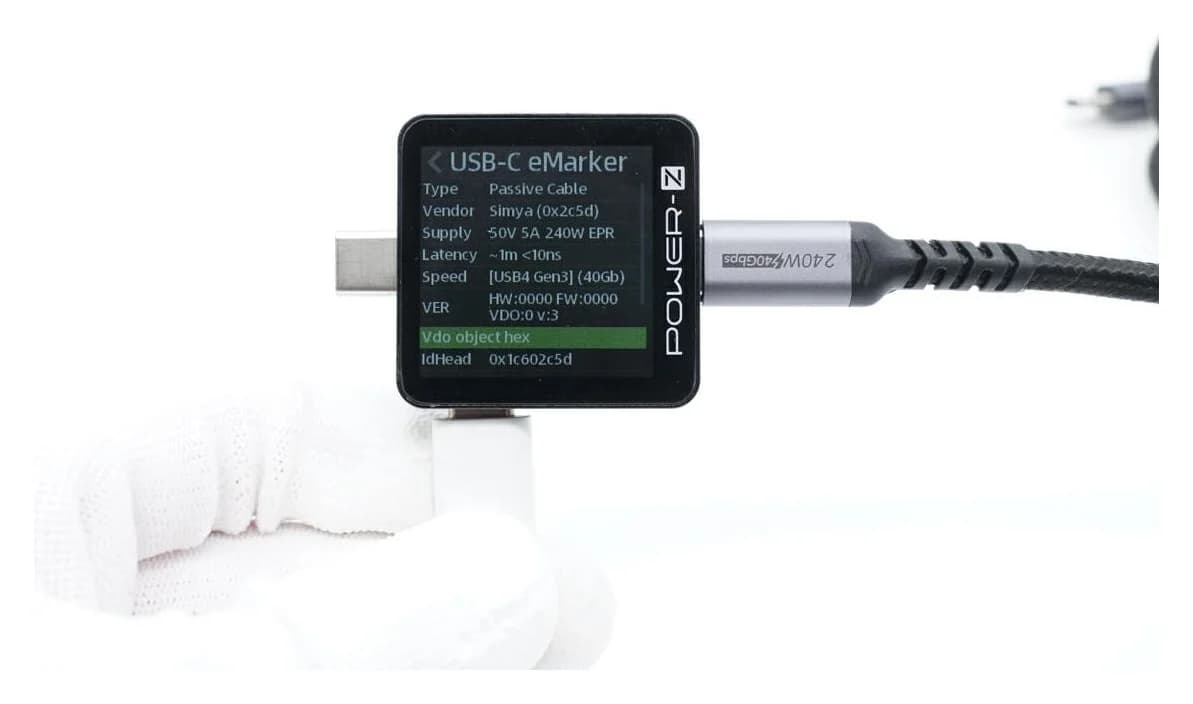
Compare AVHzY CT-3 and POWER-Z KM003C USB multimeters for EPR, offline logging, PC software and load kits. Avoid accessory mismatches and voltage-limit traps.
Comparison · USB-C Power Meters
Plugable VAMETER3 vs METER3-1MF: Which USB-C Power Meter?
Choose between Plugable's detachable VAMETER3 and METER3-1MF meter cable, with clear advice on reach, displays, 240W charging, data, video and PD analysis.
Comparison · USB-C Power Meters
POWER-Z KM003C vs FNIRSI FNB58: PD, EPR and Cable Checks
Compare POWER-Z KM003C and FNIRSI FNB58 for EPR and cable checks, with clear picks, voltage limits, connector paths, firmware and Bluetooth variant advice.